


 Coming soon
Your coding agents keep working when you close the lid.
Nemmr Vibe runs Claude Code, Codex and OpenCode in real terminals on your own Linux server. A lead agent starts sub-agents, each on its own git branch, and you follow the work from the browser, your phone or the Windows app.
- Status
- Coming soon
- Agents
- Claude Code, Codex, OpenCode
- Runs on
- Your own Linux server
- Use it from
- Browser, phone, Windows app
- Price
- Contact us
The agents
The real CLIs, in real terminals.
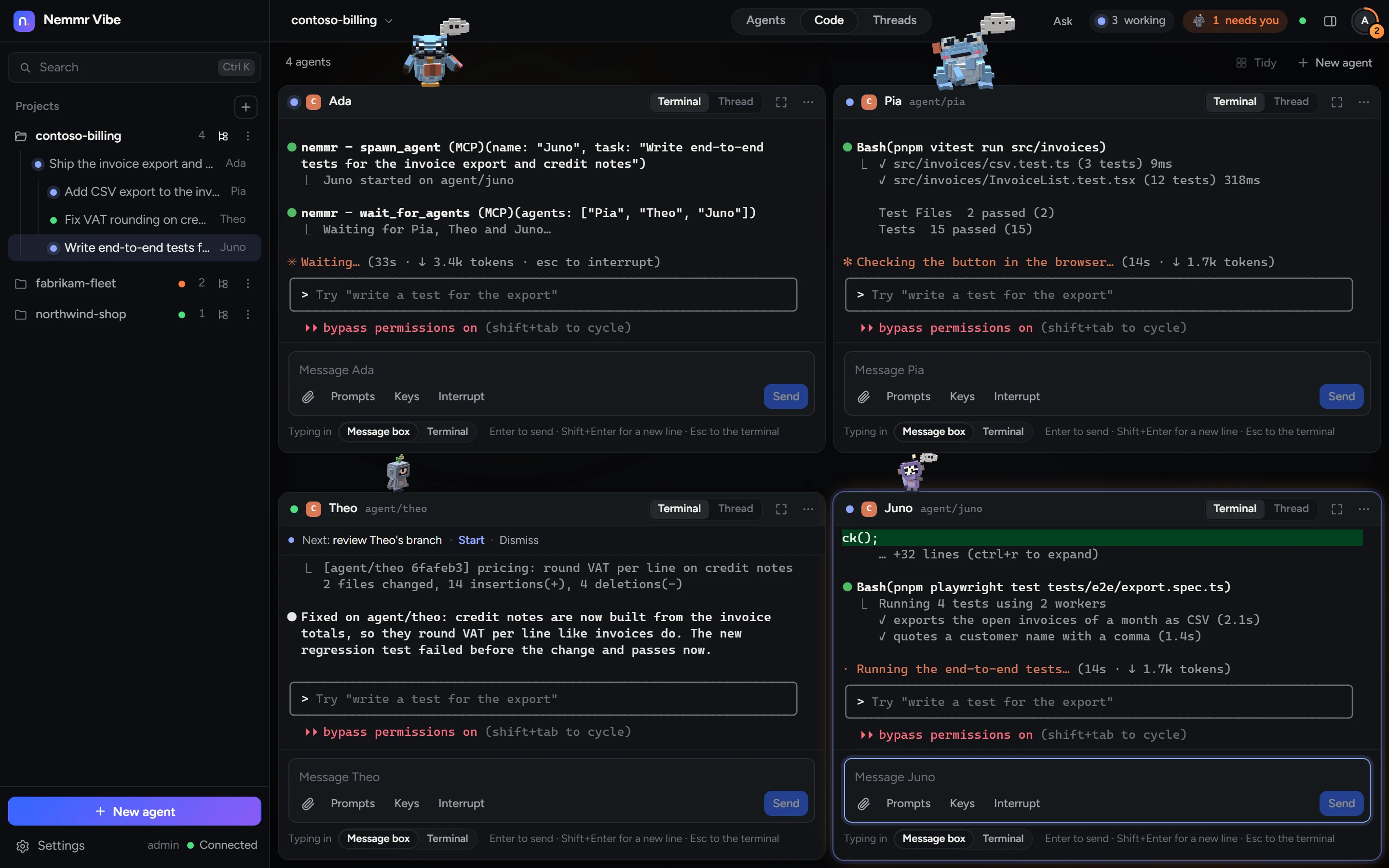
Nemmr Vibe doesn't wrap a model or call one. It starts the official claude, codex and opencode programs on your server and shows you their terminals. They use your own accounts, and what Claude Code does on your laptop, it does here.
Tiles, not tabs
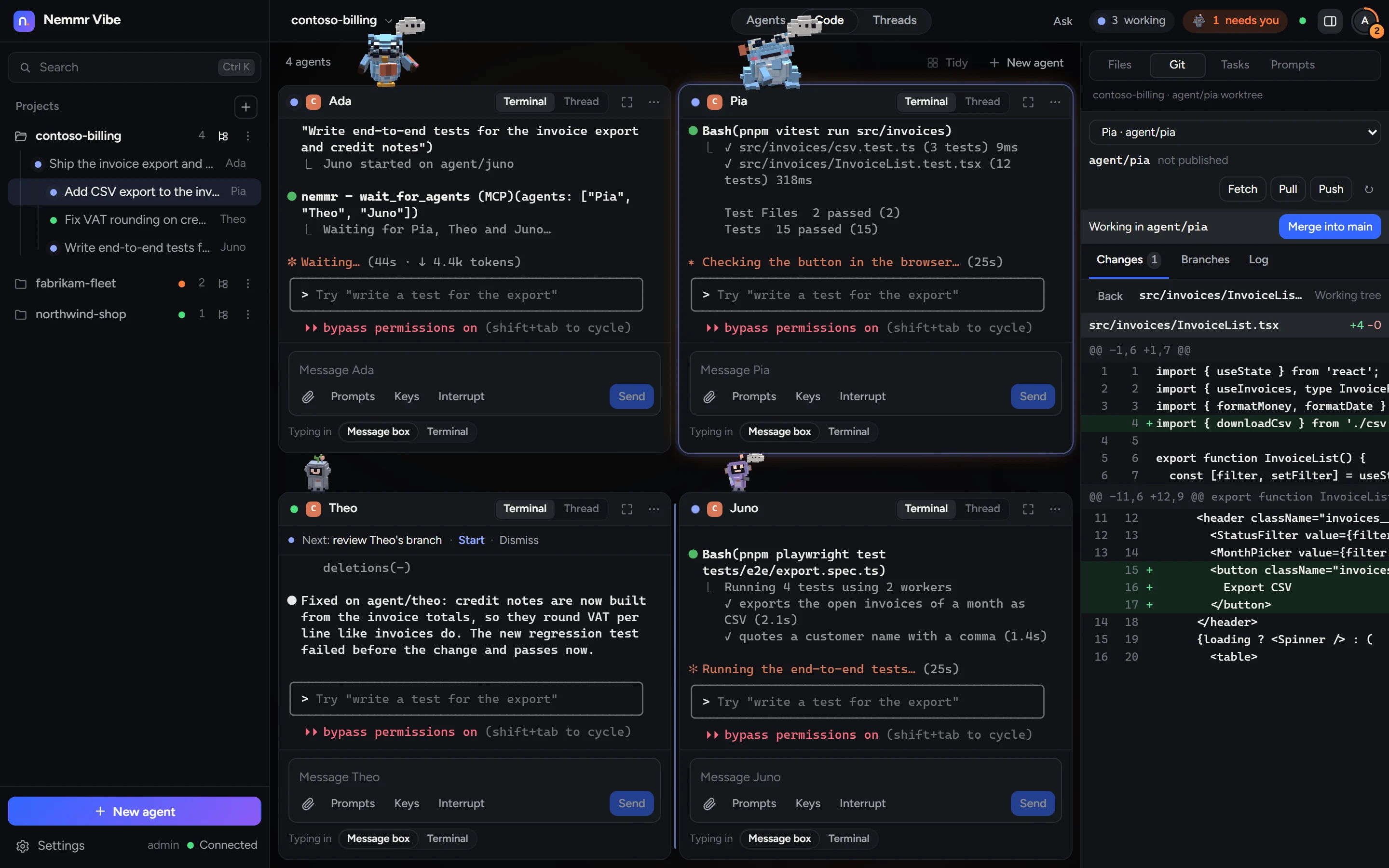
Every agent gets a tile with its live terminal: two side by side, four as a 2×2 grid. Drag a tile onto another to dock or swap it, or maximise one.
Messages and screenshots
Write in the message box under the terminal, or paste or drop a screenshot and the agent reads it.
Sessions outlive the browser
The server owns every agent; browsers are only views. Close the tab or restart Nemmr Vibe and the agents keep going in tmux, with their screen and scrollback there when you come back.
States you can trust
Nemmr Vibe reads Claude Code's hooks, so it knows when an agent is working, needs you or is done, and tells you.
Sub-agents
One agent leads. Each helper gets its own branch.
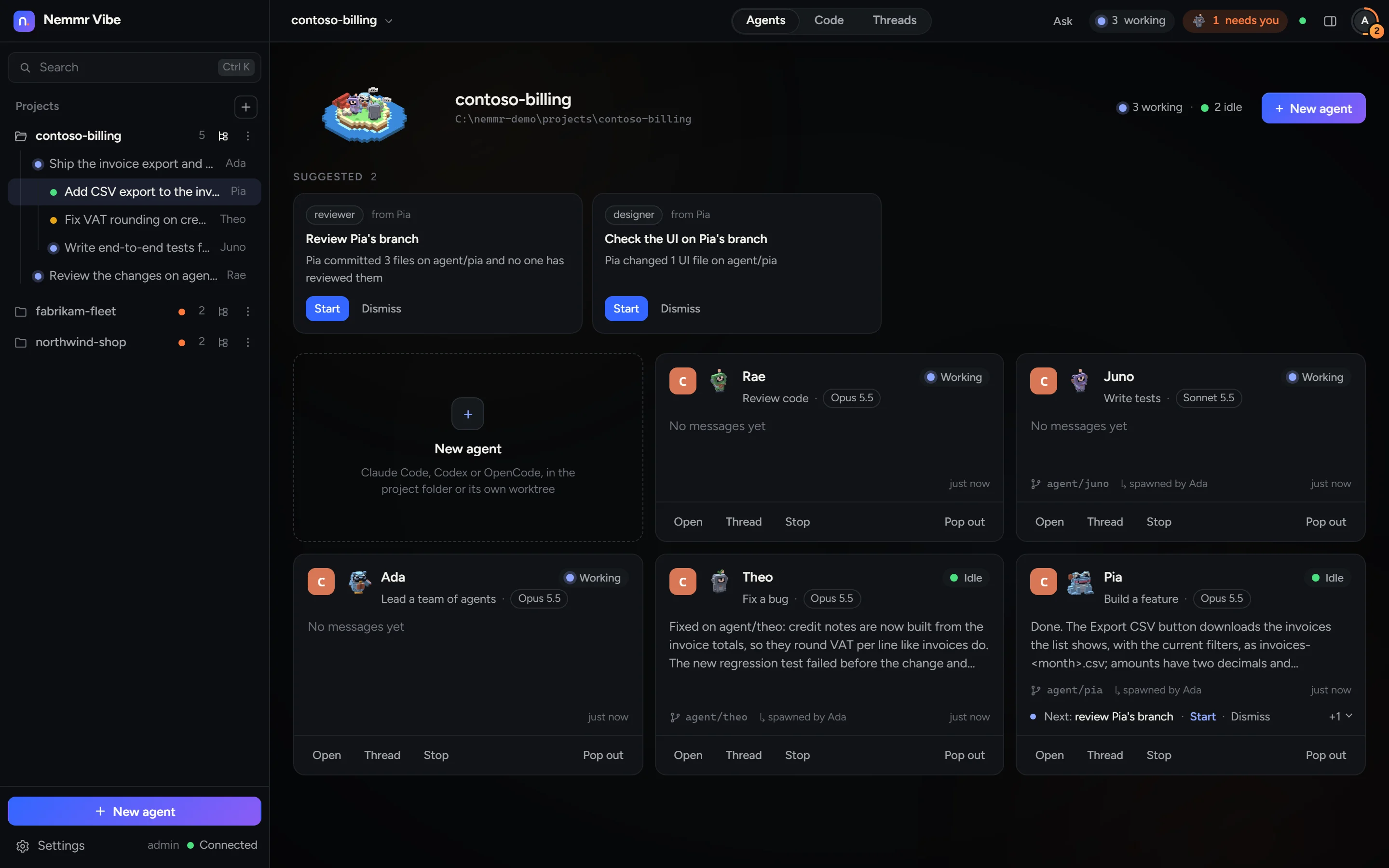
Every agent gets Nemmr's MCP tools. A lead starts a planner, coders or a reviewer, each a separate CLI process with its own model and tile, working in its own git worktree on a branch named after it. The lead waits for them, reads their answers and merges their work.
spawn_agent- Start a sub-agent with a task, a role and a model.
wait_for_agents- Wait until they are done and get their final answers.
merge_agent- Merge a sub-agent's branch, and hear about conflicts.
open_preview- Show you a page the agent serves, such as its dev server.
notify_user- Send you a notification.
When an agent finishes, Nemmr Vibe suggests the next teammate for that work, such as a reviewer for a fresh branch. Nothing starts until you press Start.
Home
Every project on one Board.
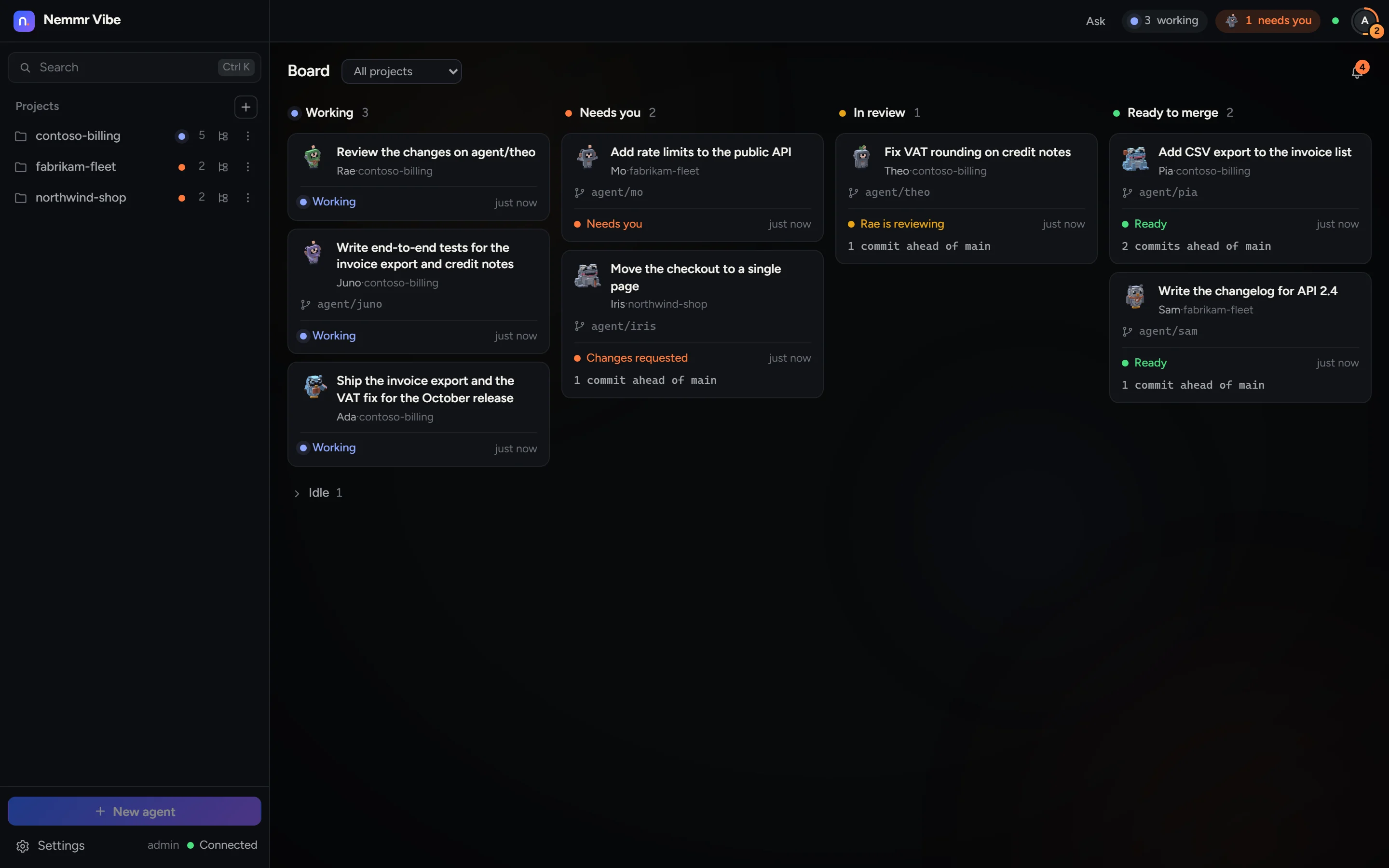
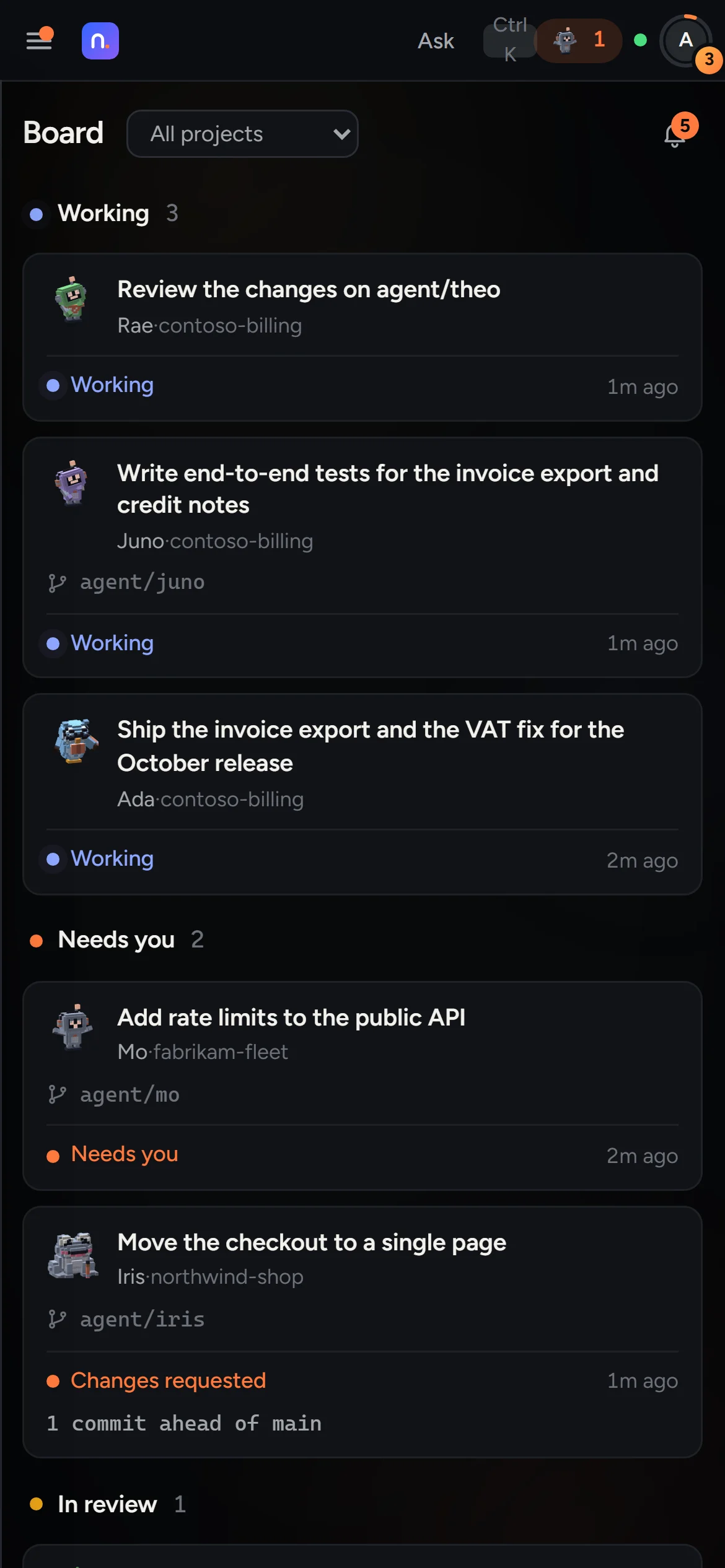
Home is a Board across all your projects: Working, Needs you, In review and Ready to merge. A card shows the work, the agent, its branch and where it stands, such as two commits ahead of main. Click it to open the agent's tile.
Search
Ctrl+K finds agents by name, work title or branch, and Asks, tasks, threads, projects and commands.
Notifications
The bell keeps the recent ones. The Windows app shows them natively, and over HTTPS the web app can push them to your phone.
Ask
A quick question doesn't need an agent.
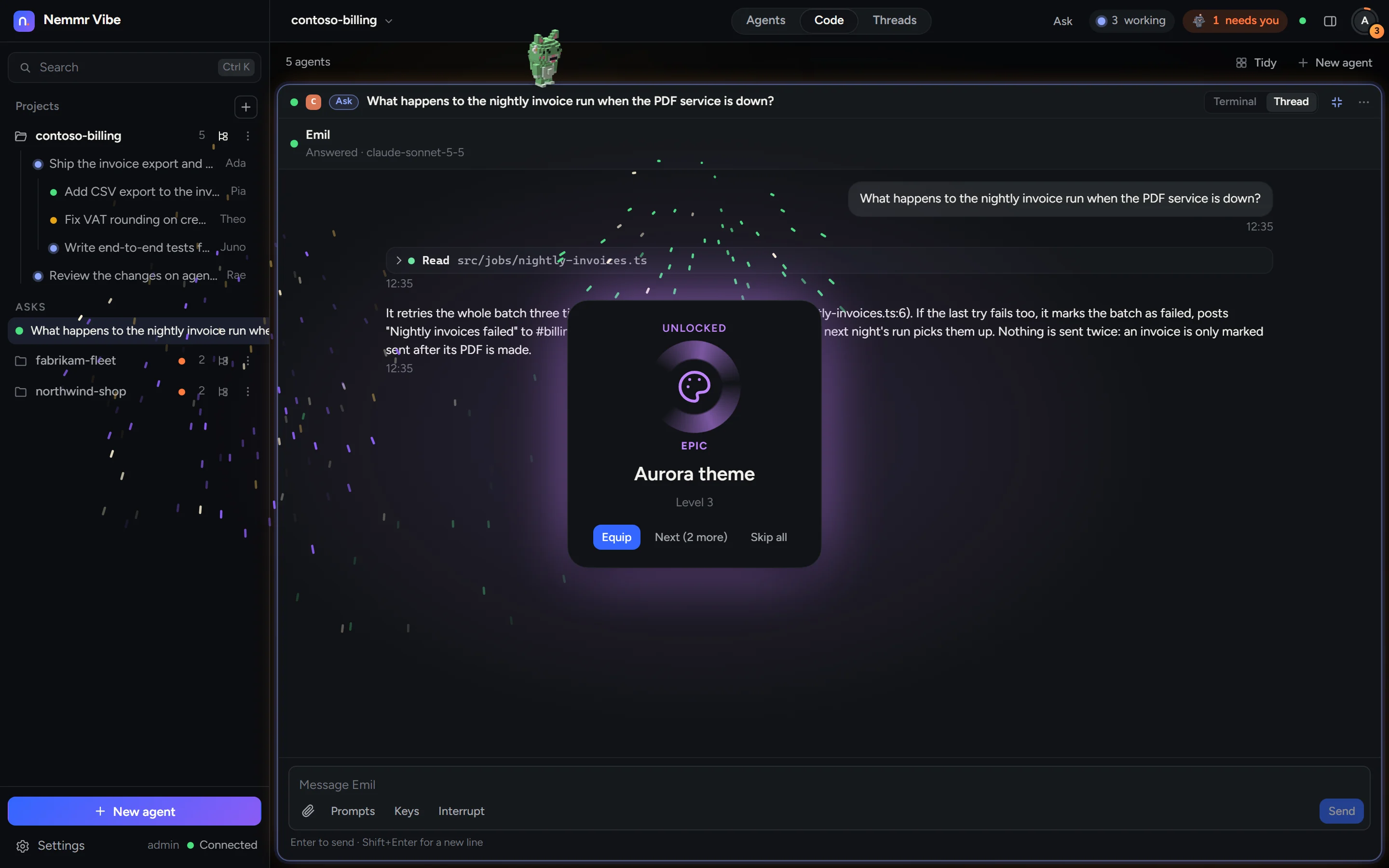
Press Ctrl+J and ask. The answer comes in a tile of its own on Sonnet 5.5, in the project you are in. An Ask rests after 15 minutes and wakes on your next message, and Turn into an agent makes it one when the answer turns into work.
The dock
Files, git and tasks beside the terminals.
The dock on the right follows the agent you are working with. Its Git view shows that agent's worktree: the changes and their diffs, commit, push and pull, and Merge into main.
Files
A tree and an editor. Make, rename and delete files from the right-click menu.
Tasks
A task board. Drop a task on an agent to hand it over; routines start an agent on a schedule.
Prompts
Your saved prompts, ready to put into any agent's message.
Browser
In the Windows app, a built-in browser shows the agents' previews next to their work.
Right-click menus
On projects, agents, terminals, tasks and files, with the keyboard too: the menu key or Shift+F10.
Projects
Add a repository and watch it arrive.
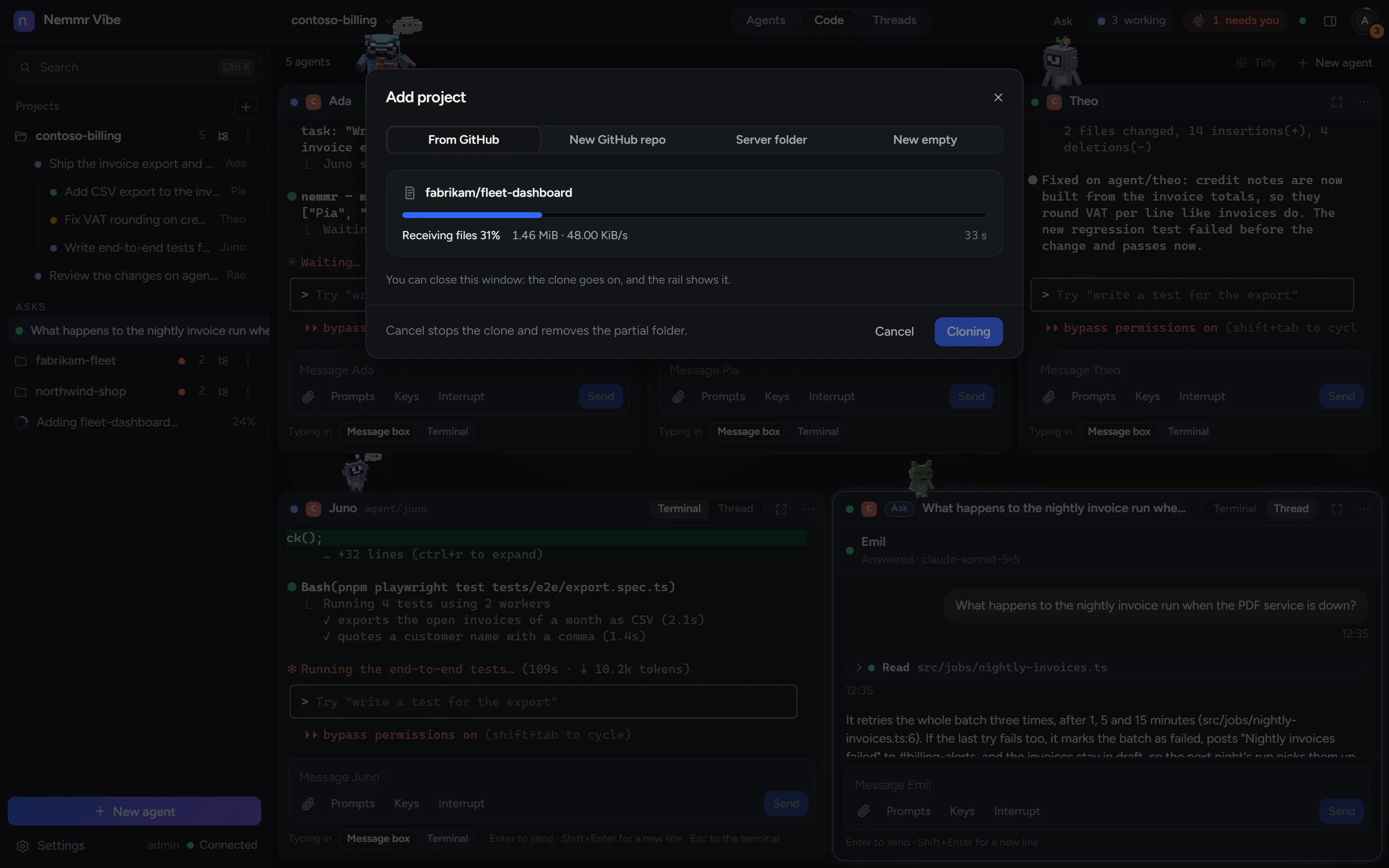
Pick one of your GitHub repositories, make a new private one, or use a folder on the server. The clone shows its phase, percent, size and speed, and carries on if you close the dialog. Before anything happens you see the folder it goes in, chosen with a picker of the server's folders.
Anywhere
Check on your agents from your phone.
The web app works in any modern browser on your network or VPN; over HTTPS it installs on a phone as an app and can push notifications. The Windows app adds a tray icon, native notifications, agents in windows of their own, the built-in browser and updates from Settings.
Several Claude accounts
When one account reaches its usage limit, only its agents pause, with a countdown, and they carry on by themselves after the reset. Or move one to another account with Continue on, and its conversation goes with it.
The fun part
Real work earns XP.
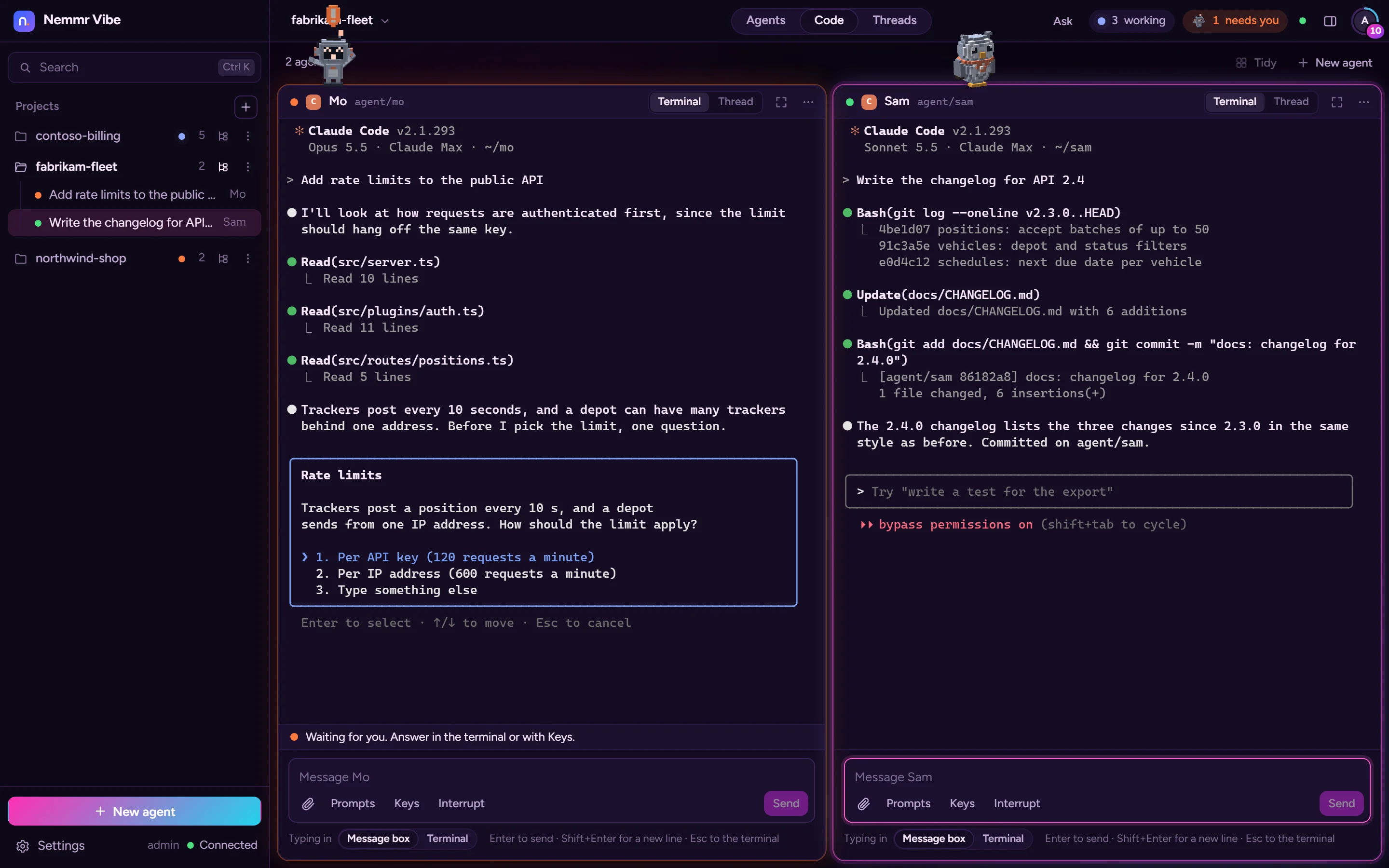
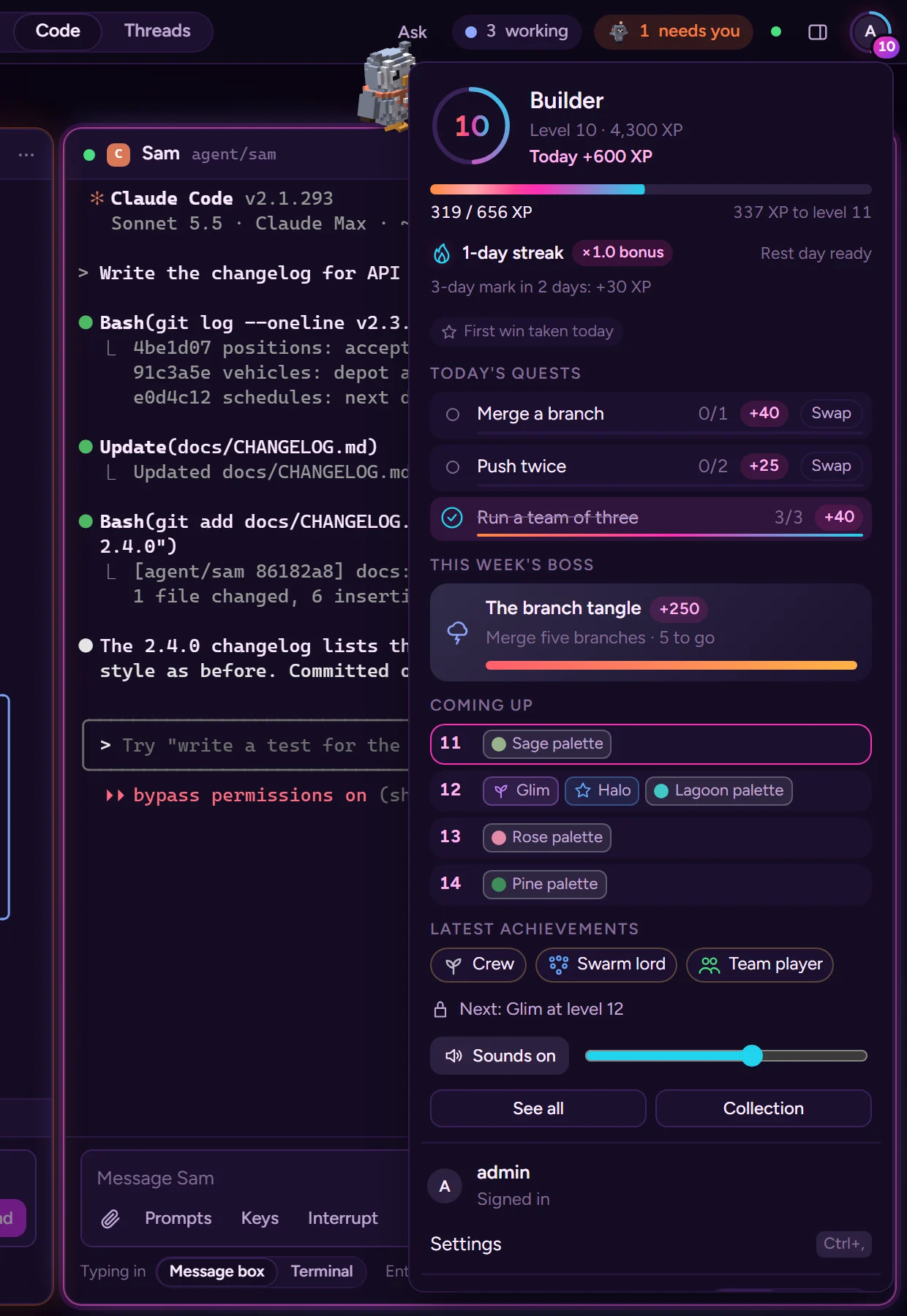
Every agent has a small voxel critter on its tile that acts out what the agent does: it thinks, waves when the agent needs you, sleeps through a usage limit, hops on a commit and backflips on a merge. Commits, pushes, merges and tests going green earn XP. Levels unlock themes, gear and bigger celebrations, and nothing ever takes XP away.
Levels
Titles from Apprentice up. Levels unlock themes, critter species and gear, colours and bigger celebrations.
Quests and streaks
Three quests a day, a challenge a week, and a daily streak with a rest day each week.
Calm mode
Keeps the critters still and turns off the celebrations and the drifting light. The XP stays.
Sounds
Soft sounds made in the browser, with a volume slider and an off switch.
Runs on
A Linux box, a browser and your own accounts.
- Server
- A Linux server or VM; ours is Debian 13 with Node 24, tmux and systemd. Nemmr Vibe and its agents run as a user of their own, without sudo.
- Agents
- Claude Code, Codex and OpenCode, plus plain shells. Claude Code and Codex sign in with your own accounts, in Settings.
- Clients
- Any modern browser, a phone (installed as an app over HTTPS) and the Windows app.
- Access
- One person, on your own network or VPN. Every page and call needs your sign-in.
- Your code
- Stays on your server: projects are git clones there and agents work in worktrees beside them. The CLIs talk to their own providers, as they do on your laptop.
Pricing
Contact us for pricing.
Nemmr Vibe is coming soon. There is no download or sign-up yet. Each installation runs on your own server, for one person. Contact details are coming soon.
Questions
Does it use my Claude subscription?
It uses the official Claude Code CLI, signed in with your own account through Claude's own sign-in. Nemmr Vibe never calls a model API itself, never passes your sign-in on, and never sets an API key for the agents.
What happens when I close the browser?
Nothing stops. The server owns every agent, and the browser, the phone and the Windows app are views of it. On Linux the agents run in tmux, so they keep going through a restart of Nemmr Vibe itself.
Which agents work best?
Claude Code: Nemmr Vibe reads its hooks for exact states and for test runs. Codex and OpenCode start the same way and work in their terminals, and their git work counts in the game.
Can my team use it?
No. An installation is for one person, on your own network or VPN.
Where does my code go?
Nowhere new. Projects are git clones on your server and the agents work in worktrees beside them. Each CLI talks to its own provider, exactly as it would on your own machine.
What will it cost?
Contact us for pricing.