
 Nemmr Start
Day one, sorted.
New starters set up their phone, Microsoft Authenticator and their new PC on their own. They open one link on the phone they already have, and Nemmr Start walks them through the rest — including handing over the Temporary Access Pass they need to get started.
To set up MFA, you need to sign in.
To sign in, you need MFA.
Every new starter hits the same chicken-and-egg on their first morning. Today it gets solved by somebody from IT, one person at a time.
The chicken-and-egg
Registering Microsoft Authenticator needs a sign-in. Conditional Access wants MFA for that sign-in. A brand-new account has neither, so nobody can start alone.
"I can't log in until I've set up the app, and I can't set up the app until I've logged in."
Helpdesk on speaker-phone
Phone, Authenticator, Company Portal, the new PC — walked through by voice, once per person. On a morning when twenty people start at once, the queue is the onboarding.
"Which screen are you on now?"
Credentials in the wrong places
First-day passwords and passes travel by e-mail to a manager, by text message, on a sticky note under the keyboard. Each one sits in a history somewhere long after it's needed.
"I've forwarded you the password. Delete it when you're in."
Nemmr Start breaks the loop. Sign-in uses something the new starter already has — the mobile number on their Entra account — and the bootstrap credential is a step in the guide, shown on screen to the person who proved they hold that phone.
One link. Their old phone.
A new phone, MFA and a PC.
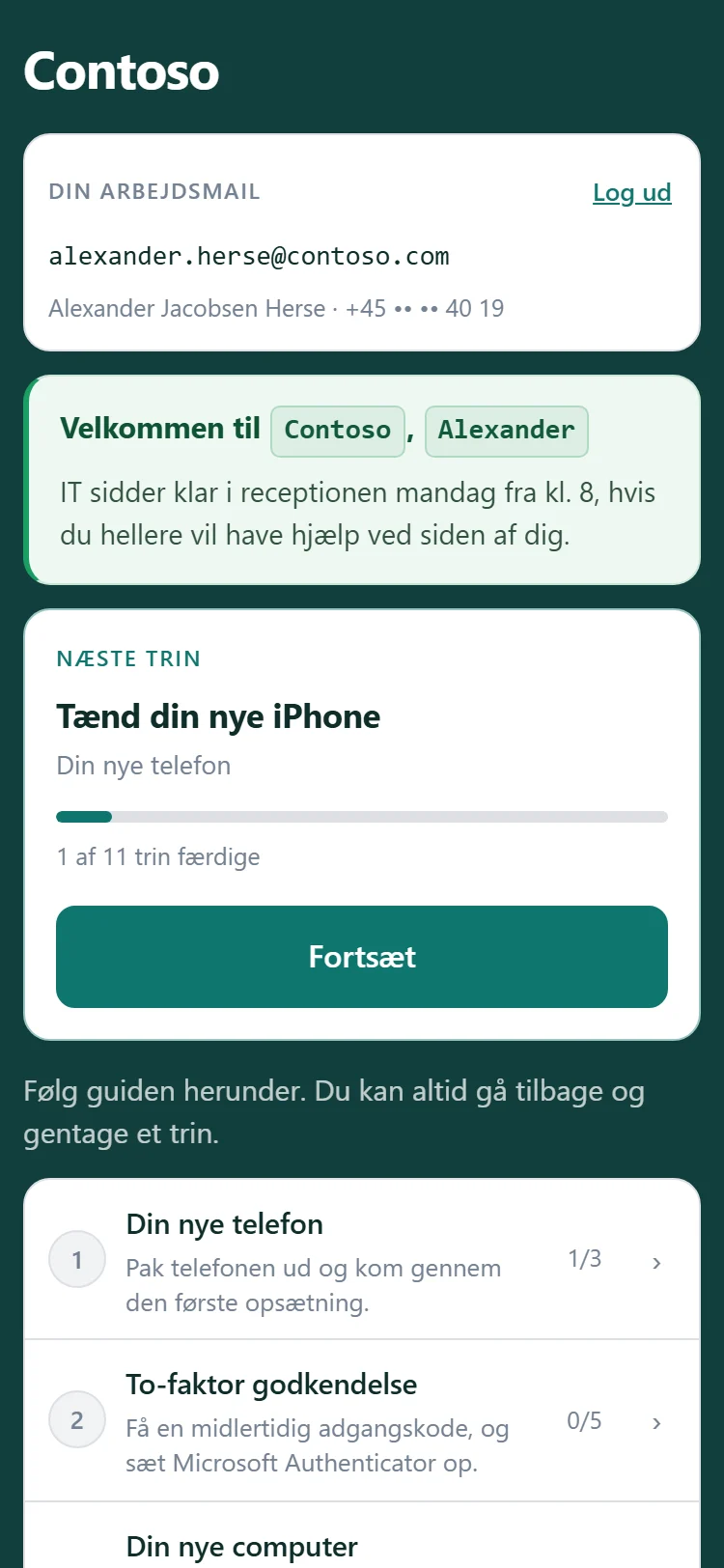
The new starter reads the guide on the phone they already own, and does the work on the new devices next to it. Every screen on this page is the real Nemmr Start demo, in Danish, the way a Danish customer ships it.
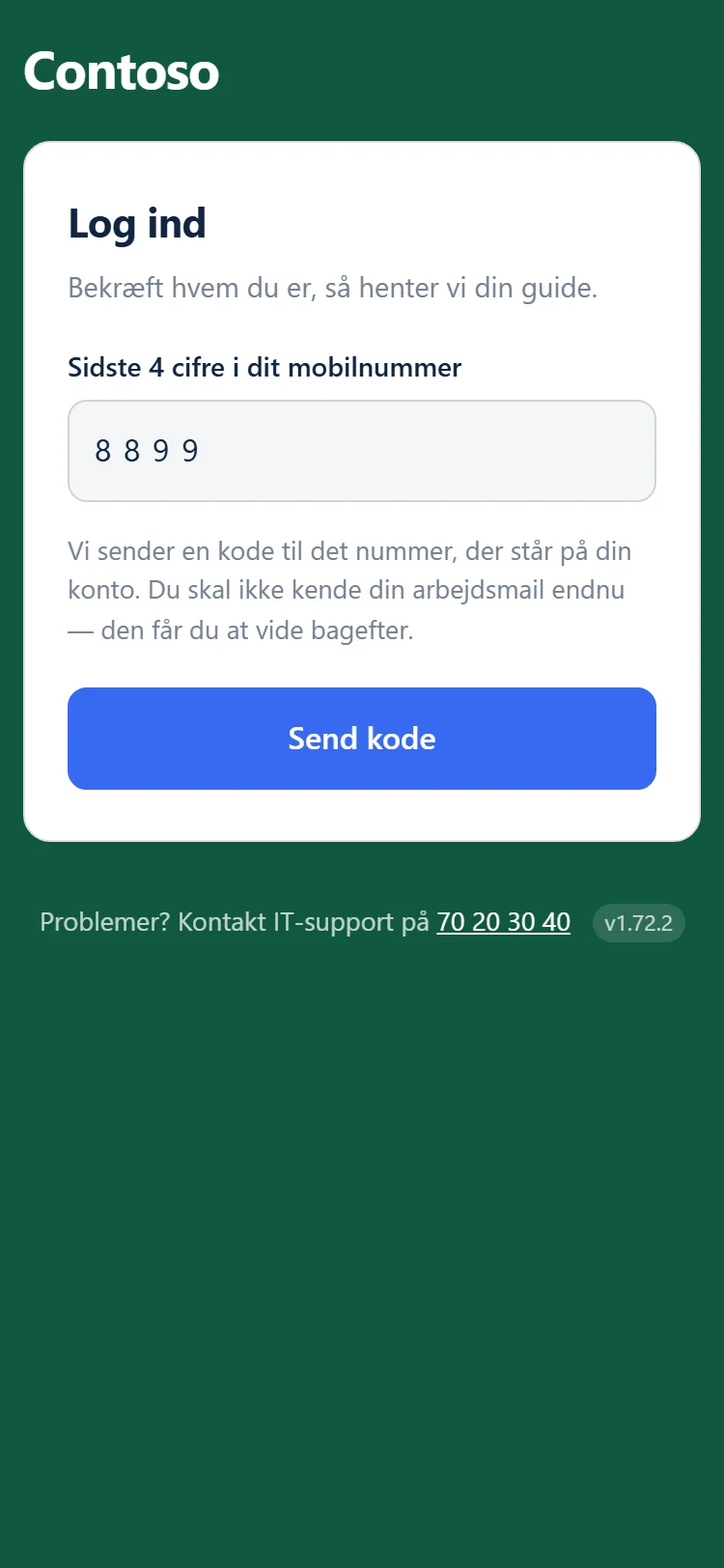
Sign in without a password
The last four digits of the mobile number on their Entra account, then a six-digit code texted to that number. The number comes from your directory — never from the form.
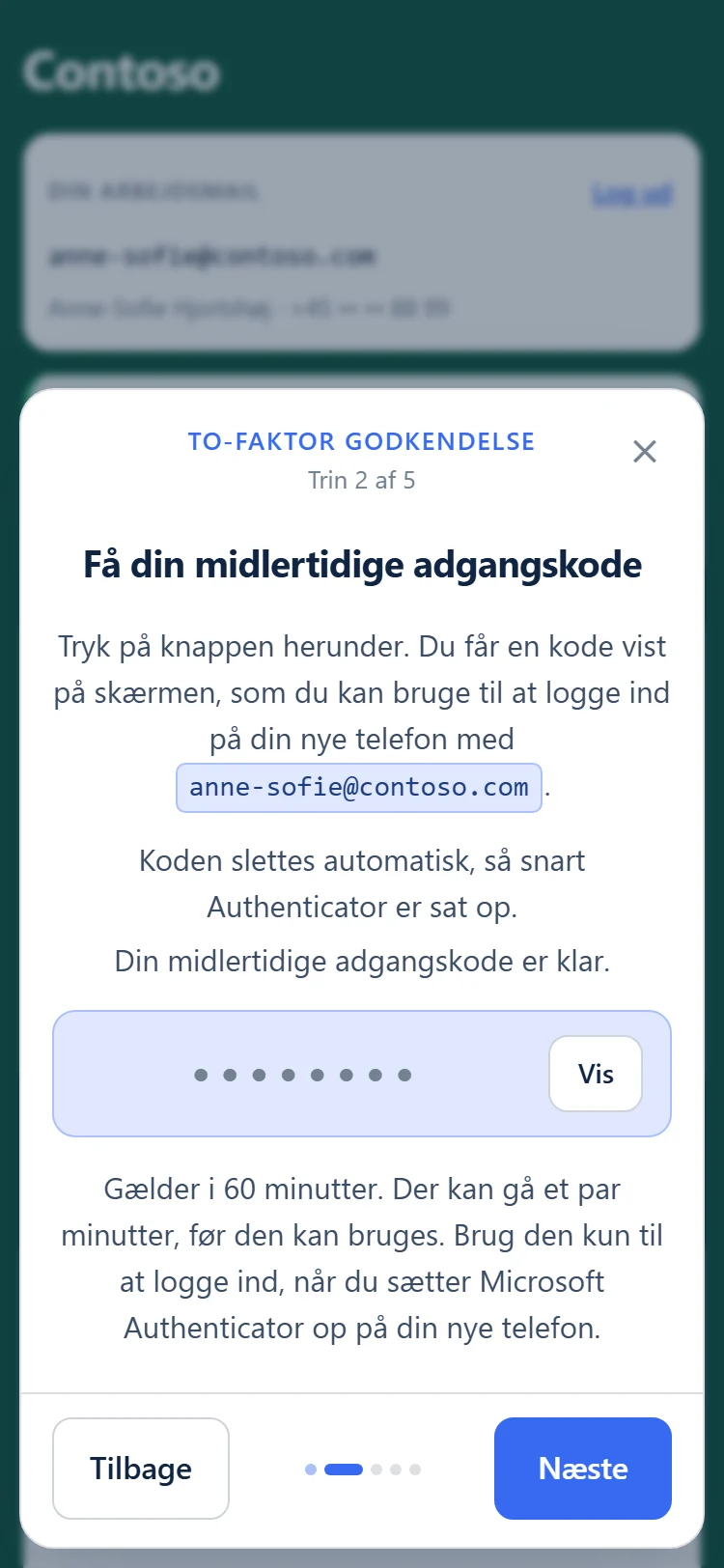
Their e-mail, and their pass
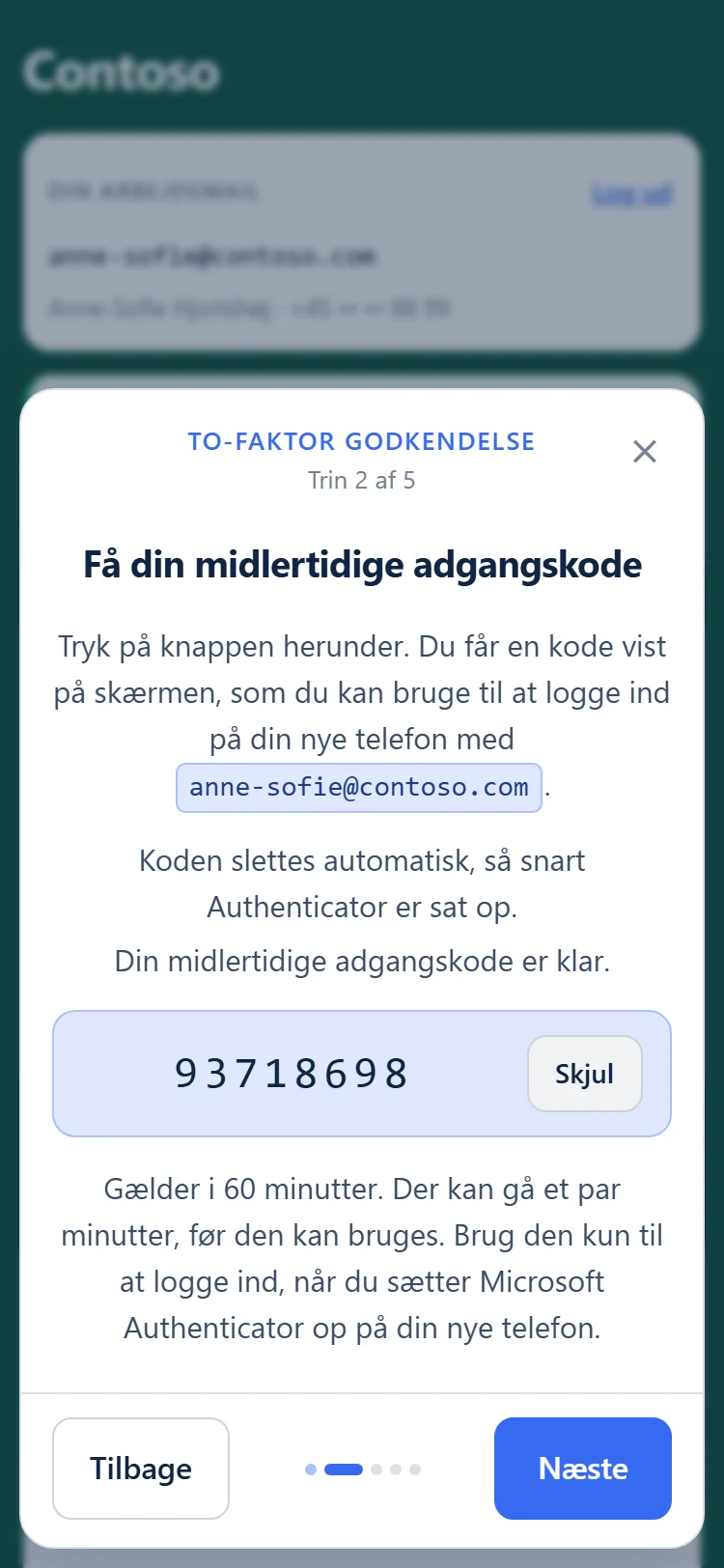
The guide shows the work address they'll type all morning. One step mints a Temporary Access Pass and shows it on screen — masked until tapped, never texted, never stored.
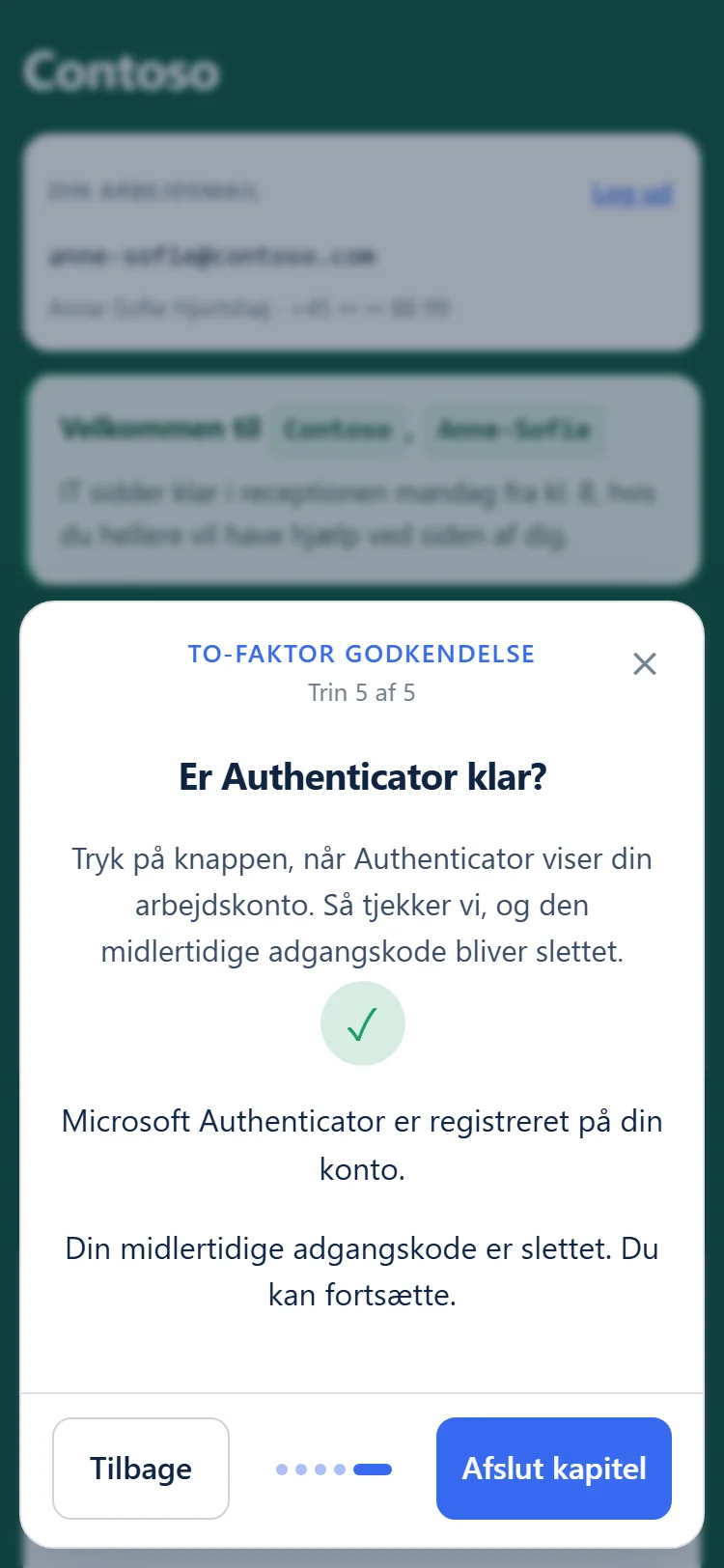
New phone and MFA, checked
Your instructions for the new phone and Authenticator, one screen at a time. A check step asks Microsoft when they say they're done — "Next" stays hidden until Microsoft agrees, and the pass is deleted the moment it does.
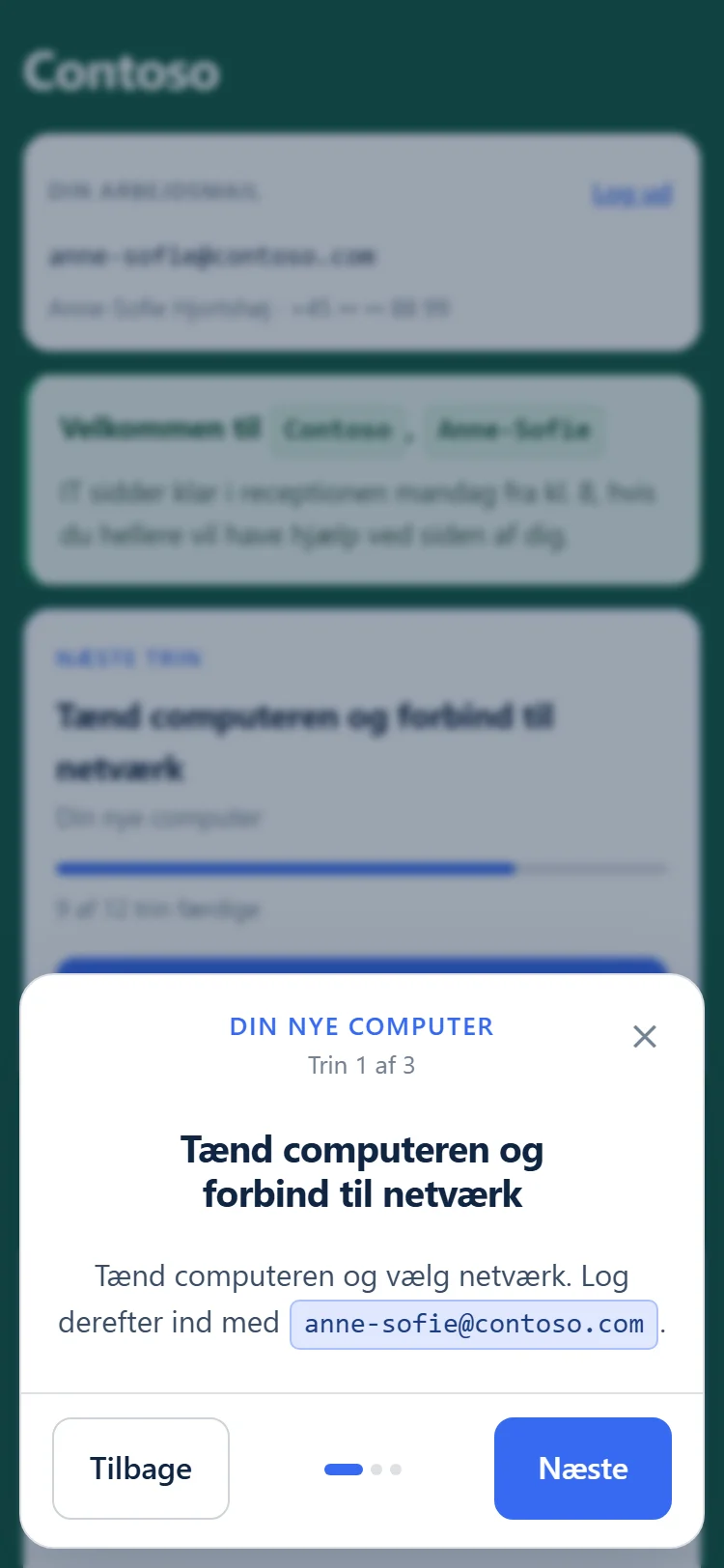
Then the new PC
The computer chapter opens once two-step sign-in is done: their work address, an approval in Authenticator, Windows Hello. Rather use the pass on the PC as well? Any step can show it, and the check step can leave it running.
Your onboarding, your words.
Built in a browser, not in a ticket.
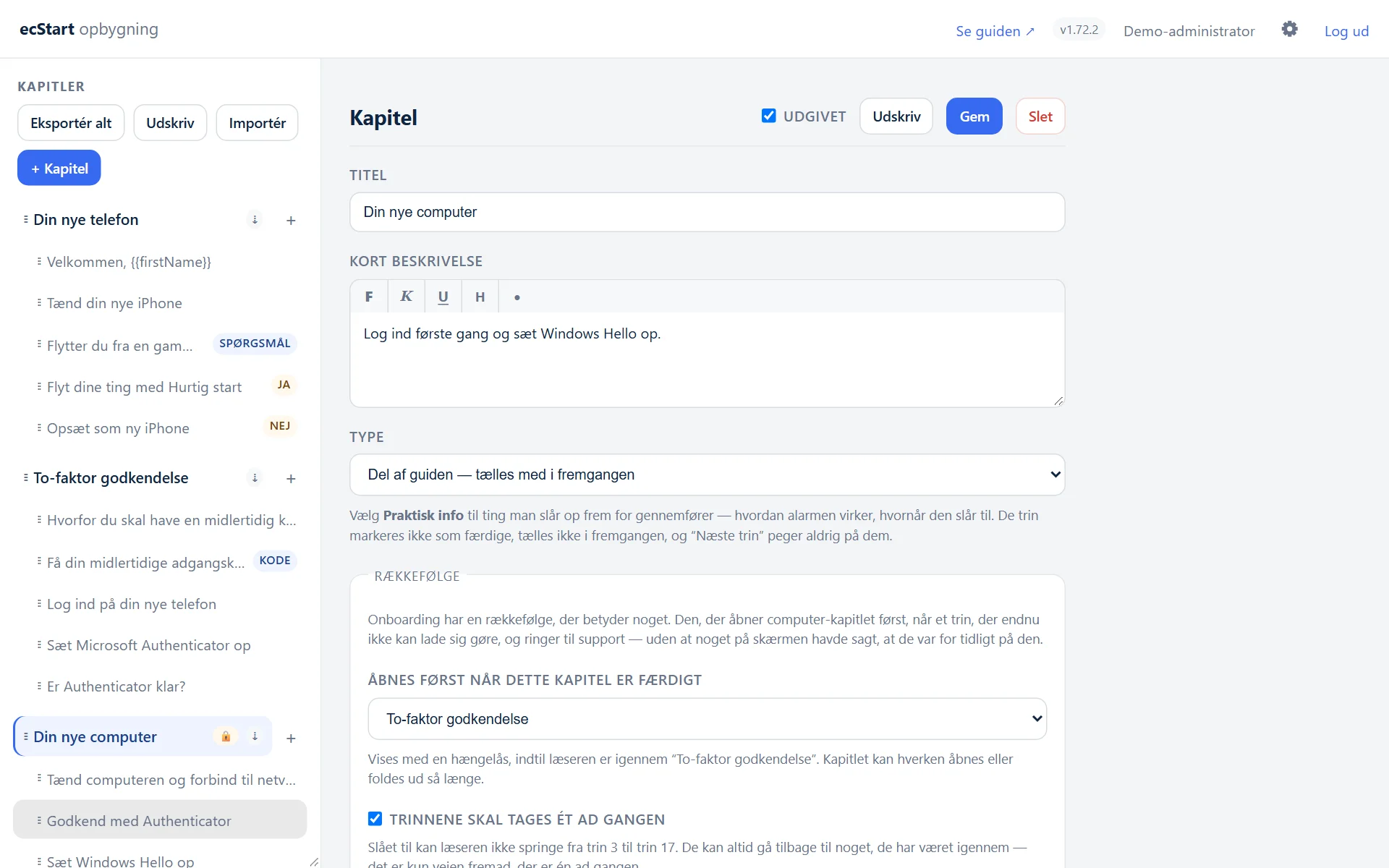
An admin builder behind your own Entra sign-in. Write the guide once, and every new starter gets the same, correct walkthrough.
Chapters, steps, and the pass as a step.
A chapter is a phase — "your new phone". A step is one screen inside it. Drag to reorder, preview as you go, publish when it's right.
- Four step types — content, pass, check and question
- Text, images and video (YouTube, Vimeo, Stream, SharePoint)
- Question steps branch the guide, and the paths rejoin by themselves
- Lock a chapter until another is finished, and go one step at a time
- Drafts stay invisible until you publish them
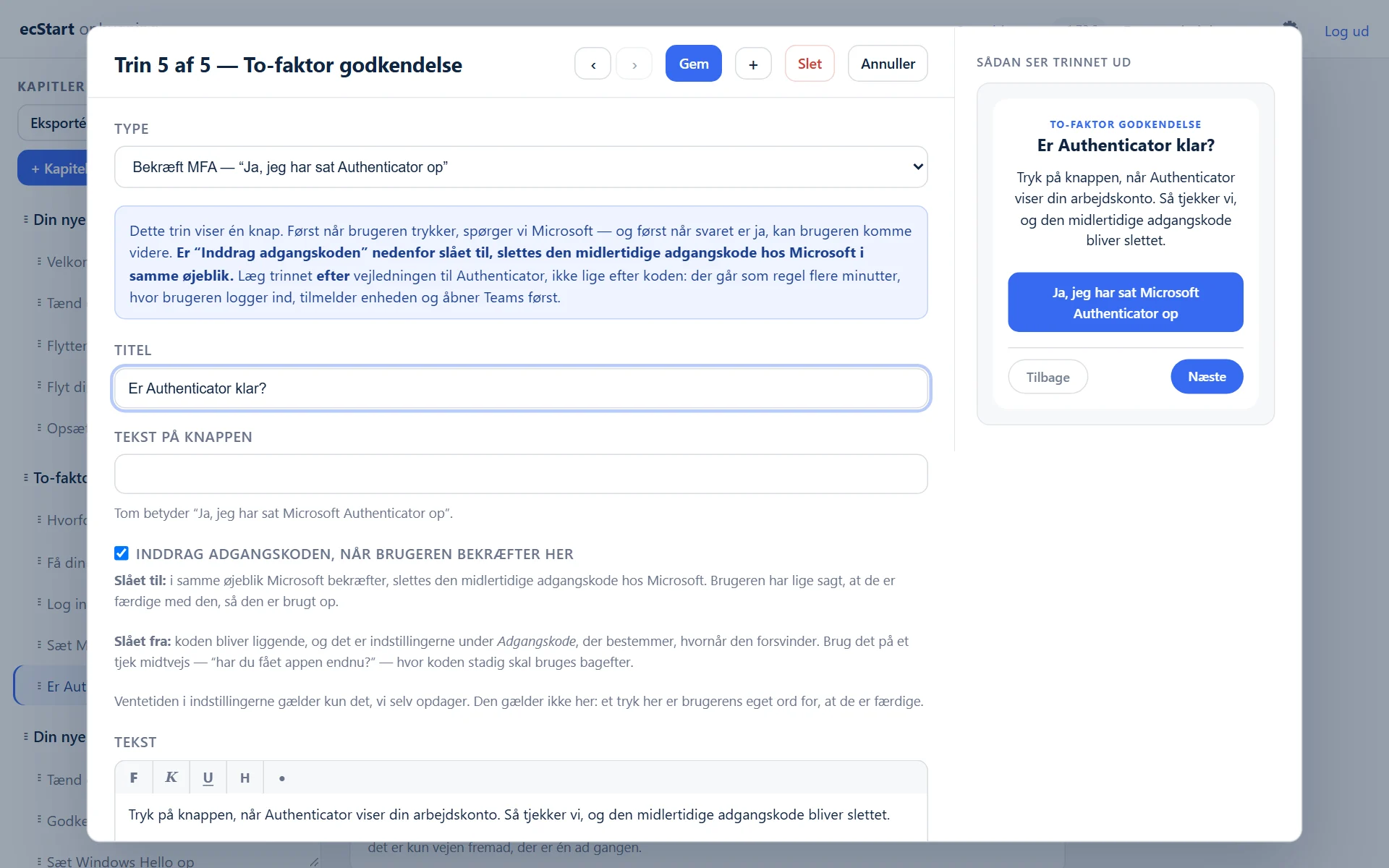
It looks like your company, not like a tool.
A new starter has never seen your intranet. The first thing they see should still feel like you.
- Upload a logo, or use the one already in your tenant
- A full palette — with the contrast ratio shown beside each text colour
- Background photos for wide and portrait screens, with a readable scrim
- The guide's own sentences are yours to edit — down to the words on the pass and check buttons
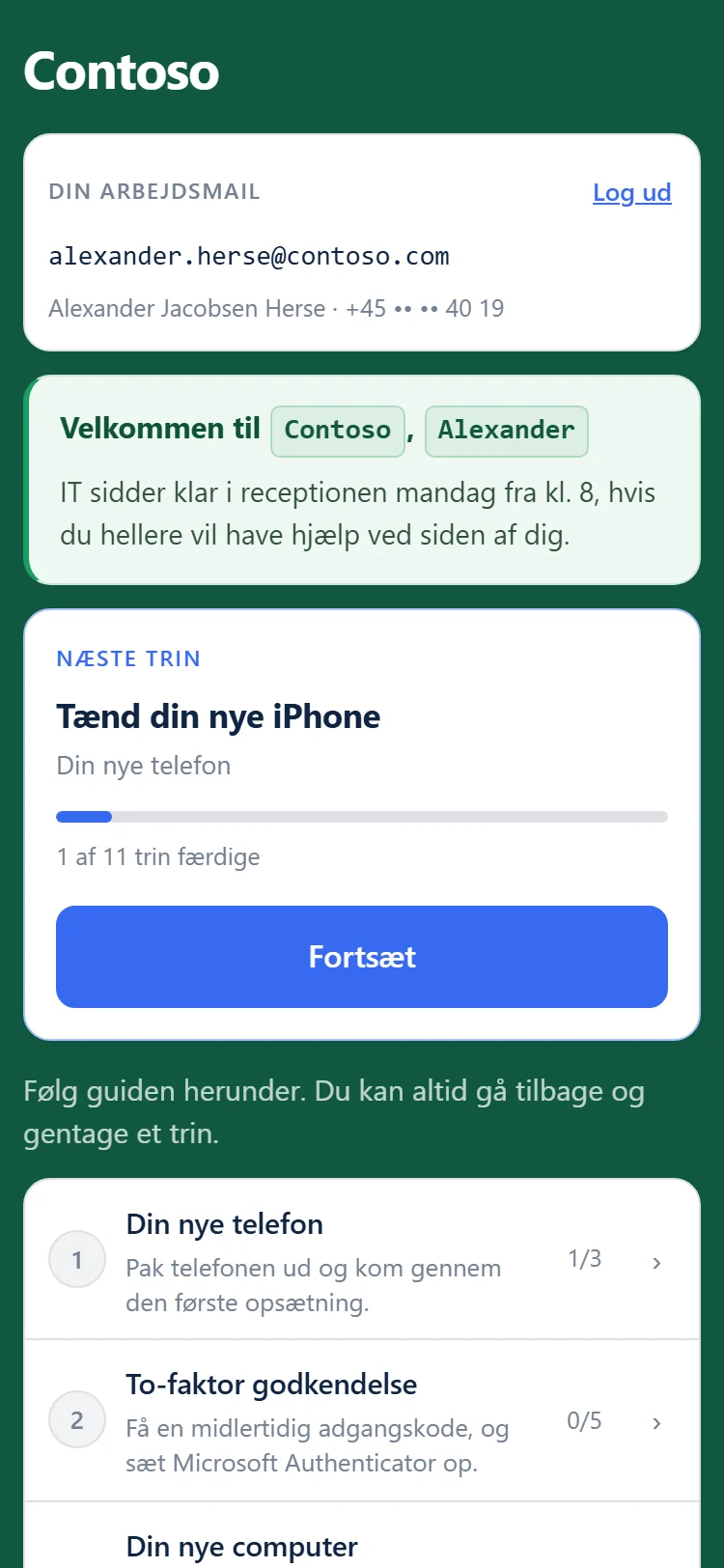
Personal to each starter. Targeted to each site.
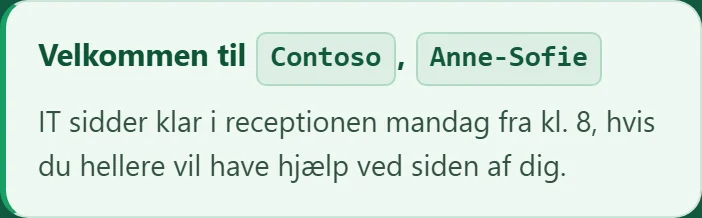
Text is filled in on the server from the starter's own account, and practical notices reach the people they're meant for.
- Variables — {{firstName}}, {{email}}, {{brand}} and more, offered as click-to-insert chips
- Notices with an expiry date, optionally aimed at one office location
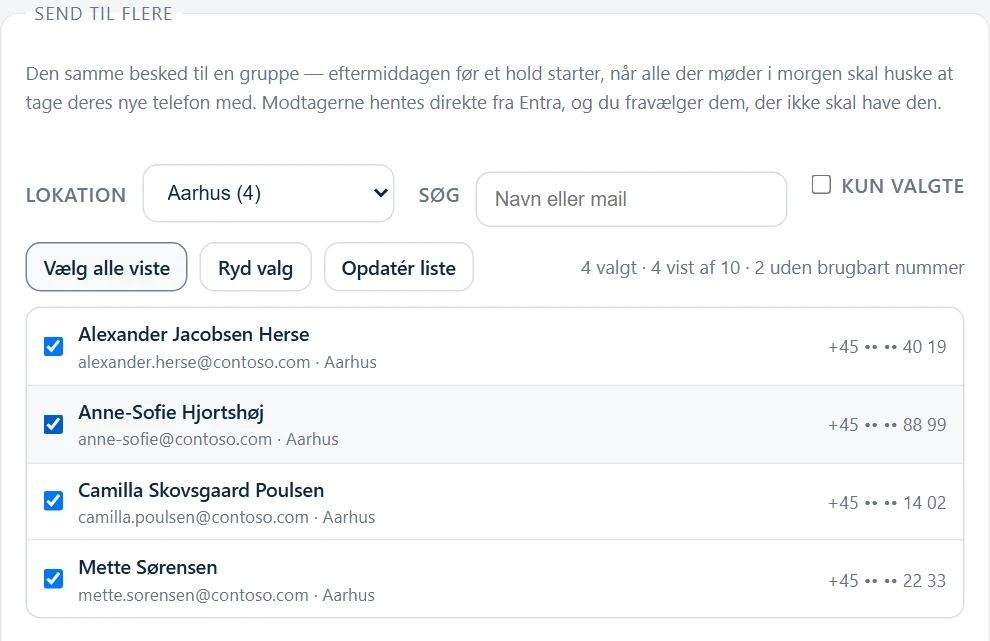
- Text a whole cohort the day before they start, straight from your directory
- A FAQ on the front page, and gentle reminders addressed by name
On launch morning, see who needs a hand.
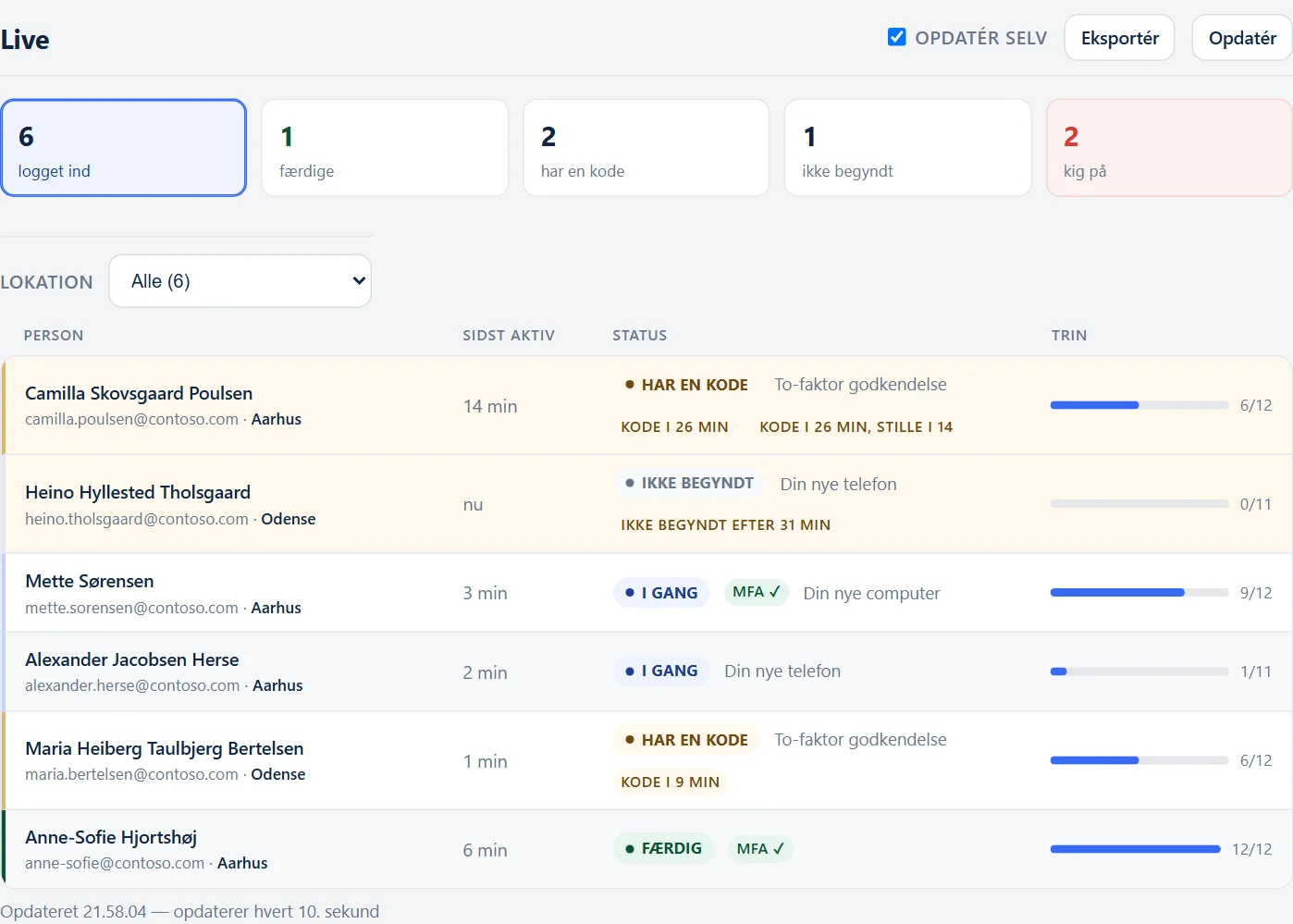
Live lists who's on the guide right now, sorted so the people who've stopped are at the top — and says why they're there. Click one to see the exact screen in front of them.
- Who holds a pass, who's finished, and whether MFA was actually seen
- Lift a sign-in block or text the person without leaving Live
- Export everyone who has been through as a spreadsheet (CSV)
- An activity log — and a history of every change to the guide, by whom
Two screens at once
Progress follows the person, not the device — read on the old phone, work on the new one.
On paper, too
Print the whole guide or one chapter, or save it as a PDF. The pass step prints as "call IT", never as a code.
Move content between installs
Export a chapter or a whole guide, import it elsewhere as drafts. Exports carry no hostname or tenant id.
Nightly backups
Installed, not just documented: a consistent, integrity-checked snapshot every night, with a restore script beside it.
Your data and your keys
stay in your tenant.
Nemmr Start is not a shared cloud service. Each organisation gets its own install, on its own Linux VM, with its own app registration — so no single app ever holds MFA-reset rights across customers.
The pass never leaves the screen
Shown once to the person who proved they hold the phone. Never texted, never written to the database, the logs or the URL — it's kept in memory only while valid, masked until tapped, and served with no-store.
The number comes from Entra, not the form
The browser sends four digits; the code goes to the mobile number your directory holds. Typing a colleague's details with your own phone gets you nothing.
Guard rails where it matters
Administrators are refused a pass, and that check fails closed. So is anyone who already has Authenticator. Sign-in attempts are rate-limited per account and per caller.
Logs that can't leak credentials
The pass, verification codes, message bodies and full phone numbers are never recorded. The audit log expires on a schedule you set.
Admins sign in with your Entra
The builder uses your own single sign-on, gated on one group you choose. It stores no passwords.
Least privilege, written down
Microsoft Graph application permissions — and nothing beyond these.
User.Read.All | Match four digits to one person; read their mobile number, name and office location. |
|---|---|
UserAuthenticationMethod.ReadWrite.All | Mint and revoke the pass, and see whether Authenticator is registered. |
RoleManagement.Read.Directory | Refuse to bootstrap an administrator. |
OrganizationalBranding.Read.Alloptional | Your tenant's logo and sign-in colour. Skip it and upload a logo instead. |
A powerful key — kept where you control it
Handing out Temporary Access Passes takes UserAuthenticationMethod.ReadWrite.All, a tenant-wide permission. We say so up front: the Nemmr Start server should be treated as a tier-0 asset, like anything else that can reset authentication methods.
That is exactly why it runs in your tenant, on your VM. The certificate is generated on your server and stays there — root-owned and never baked into an image. One app registration per install means revoking one never touches another, and a certificate that expires means an abandoned install stops working rather than lingering.
Built for the people who answer the phone on day one.
IT teams
In-house IT running Microsoft 365 and Entra ID, with MFA enforced and new people starting every month.
- Fewer first-day calls
- The same correct steps every time
Managed service providers
Onboarding for many customers, each in their own tenant. One install per customer keeps every key separate.
- Build a guide once, reuse it
- Each customer's own branding
Cohort starts & rollouts
A whole team starting on the same Monday, or a fleet of new phones going out at once.
- Text everyone the day before
- Watch the morning on Live
One install per organisation.
Every organisation gets its own install, in its own tenant. Get in touch and we'll talk it through.
Nemmr Start
For one organisation, in its own tenant.
- Your own install, on your VM
- Guide builder & branding
- Pass, check & question steps
- SMS sign-in for new starters
- Live view, log & CSV export
- Nightly backups
Questions, answered.
What does a new starter need?
The phone they already have, and a mobile number on their Entra account. They sign in with the last four digits of that number and a six-digit code texted to it — they don't even need to know their work e-mail yet; the guide tells them.
Why not just send them a password?
Because a password isn't enough when MFA is enforced — and needing MFA to set up MFA is the problem. Nemmr Start issues a Temporary Access Pass instead, which Microsoft supports for exactly this: registering Authenticator and signing in for the first time.
Is the Temporary Access Pass sent by text message?
No. The text message only carries the sign-in code. The pass is shown on screen, to the person who has just proved they hold the phone your directory knows about, and it's never stored. If you really want it texted as well, that can be switched on — but it's off by default.
Where does Nemmr Start run?
On a plain Debian or Ubuntu VM (or LXC container) in your environment, with Docker. It needs HTTPS, outbound access to Microsoft and your SMS provider, and a Global Administrator for one consent step. It's one install per organisation — there's no shared instance.
Which SMS providers are supported?
GatewayAPI and Azure Communication Services.
Can an administrator use it to get a pass?
No. Accounts holding — or eligible for — a directory role are refused, and that check fails closed. Accounts that already have Microsoft Authenticator are refused too; for a phone replacement, IT removes the old registration first.
What happens to the pass afterwards?
It's revoked when the starter confirms on a check step that Authenticator is set up, or a set time after Nemmr Start sees the registration — so there's still time to sign in to the new PC. Either way, Entra expires it at the end of its lifetime.
We're an MSP. Can we reuse a guide across customers?
Yes. Export a chapter or a whole install and import it on the next customer's install. Imported chapters arrive as unpublished drafts, and the branding is a separate decision, so nothing goes live by accident.
What will it cost?
Contact us for pricing.
Nemmr StartMake the next first day a quiet one.
See Nemmr Start walk a new starter from sign-in to a registered Authenticator and a signed-in PC — and talk through what it would take in your tenant.
The demo is a made-up company: nothing is sent, nothing is real, and it resets every four hours. For pricing and a walkthrough in your own tenant, contact details are coming soon.