
 Nemmr Speak
Hold a key. Speak.
It's typed.
Nemmr Speak is dictation for people who write all day. Hold a key in any app, say what you want to write, and let go: Whisper turns it into text on your own computer and types it where your cursor is. Your voice never leaves the machine.
Talk at the speed you think.
Type only when you want to.
Built for support staff, consultants and anyone who answers tickets, mails and chats all day. Every screen below is the app itself.
Where your cursor is, that's where it goes.
Nemmr Speak types the text into the app in front of you, as if you had typed it yourself. Mail, Teams, a ticket system, Word, the terminal: if it takes typing, it takes dictation.
- Or put it on the clipboard instead, for apps that don't like typed input
- Press Return afterwards — for chat boxes, so a dictation is sent as soon as it lands
- A trailing space, so one dictation doesn't run into the next
- Capitalise the first letter, if you want it
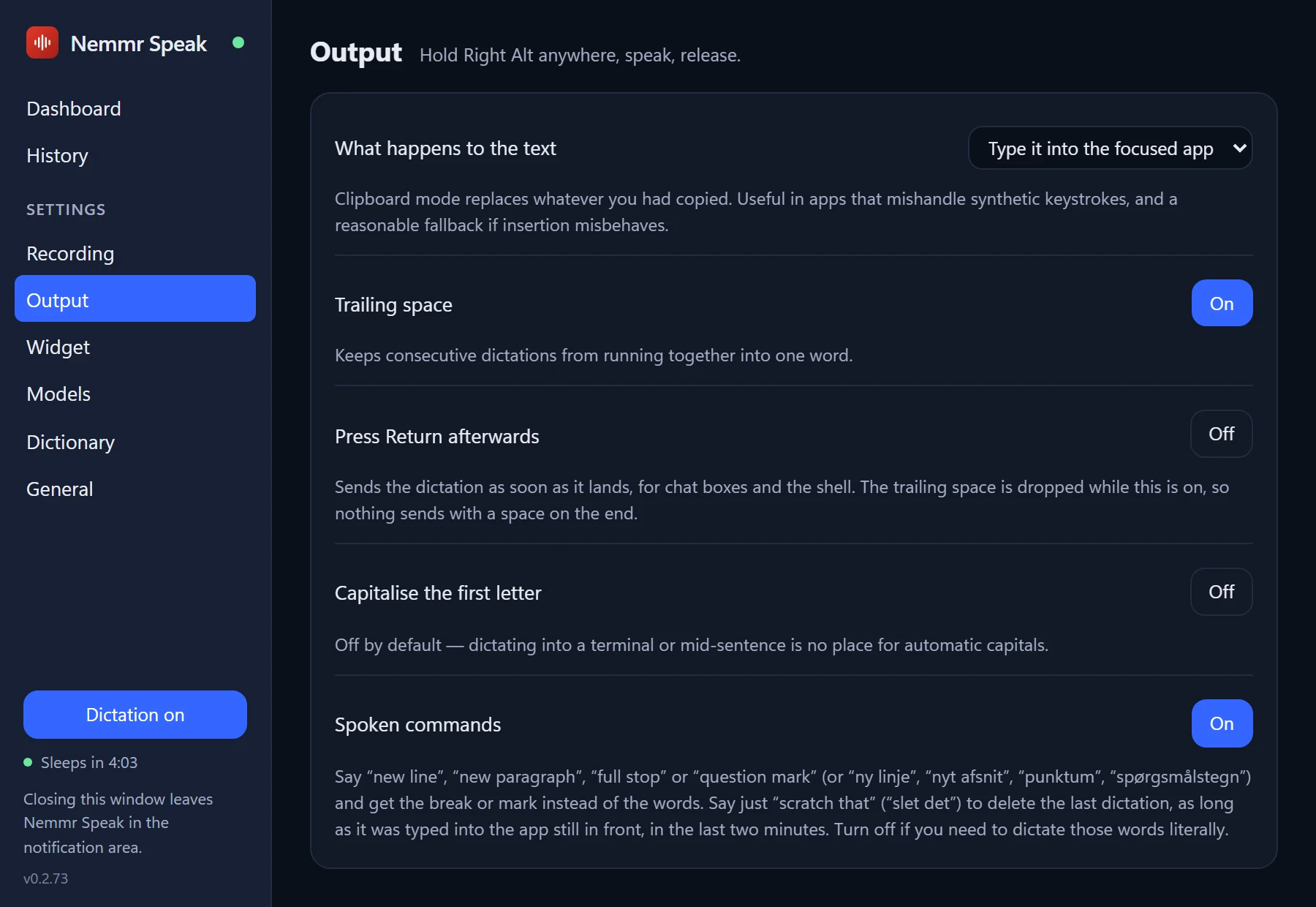
Say "new paragraph". Get one.
Say new line
, new paragraph
, full stop
or question mark
and you get the break or the mark, not the words. Changed your mind? Say scratch that
and the last dictation is deleted again.
- In English and Danish —
ny linje
,nyt afsnit
,punktum
,slet det
- A dictionary that fixes words Whisper gets wrong, like product names — with a box to try a rule before you save it
- Rules are regular expressions, for the people who like those
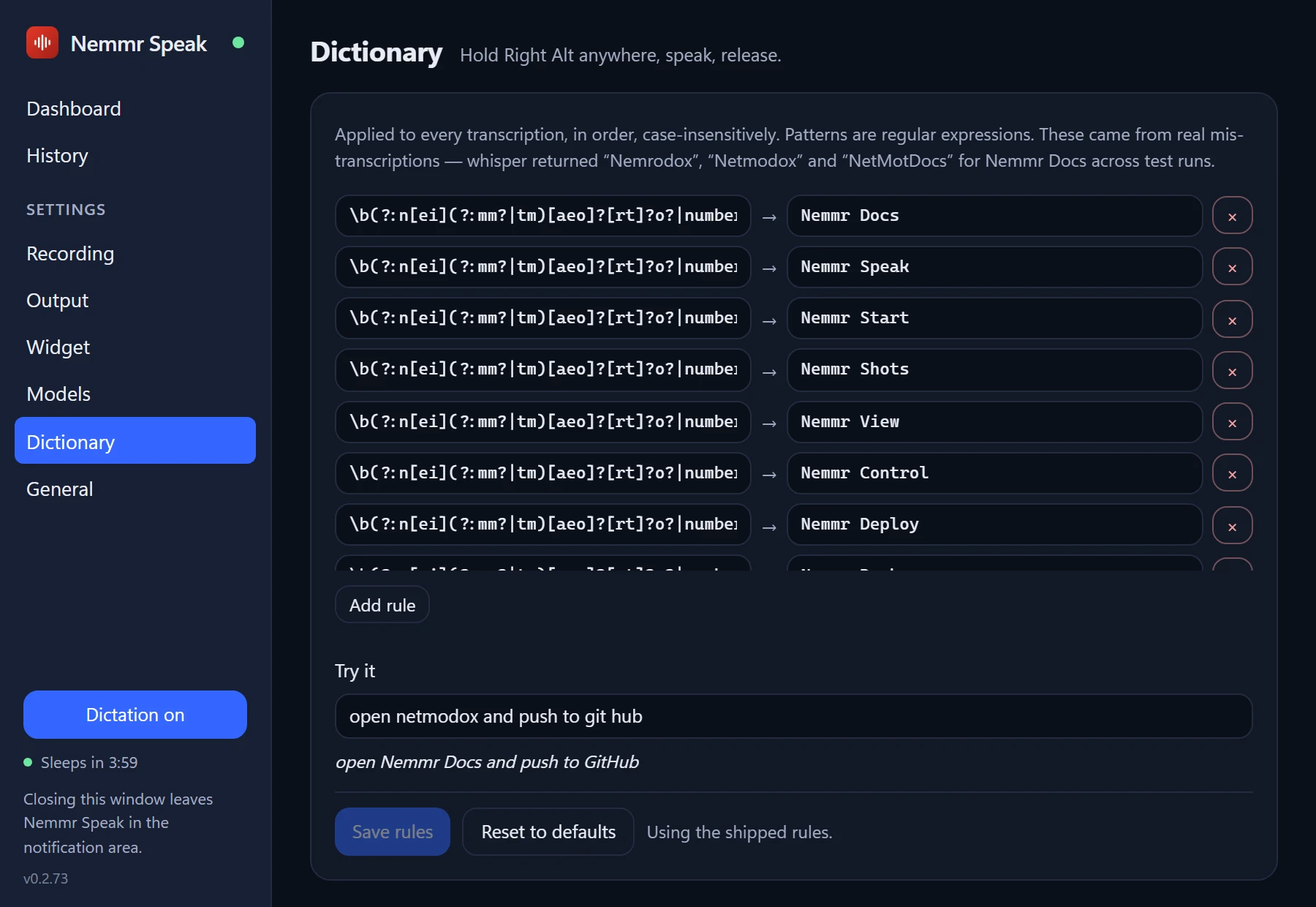
Answer in Danish, then in English.
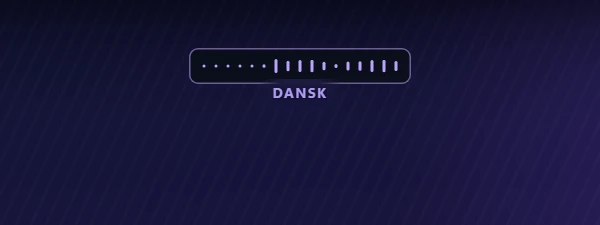
Pick your usual language. Hold Shift with the key and the next dictation is in another one; a label under the widget says which. Speak once, and it goes back to your usual language by itself.
- English, Danish, Swedish, Norwegian, German, Dutch, French and Spanish
- Or auto-detect between Danish and English
- Choose which languages Shift cycles through
Small, and never in the way.
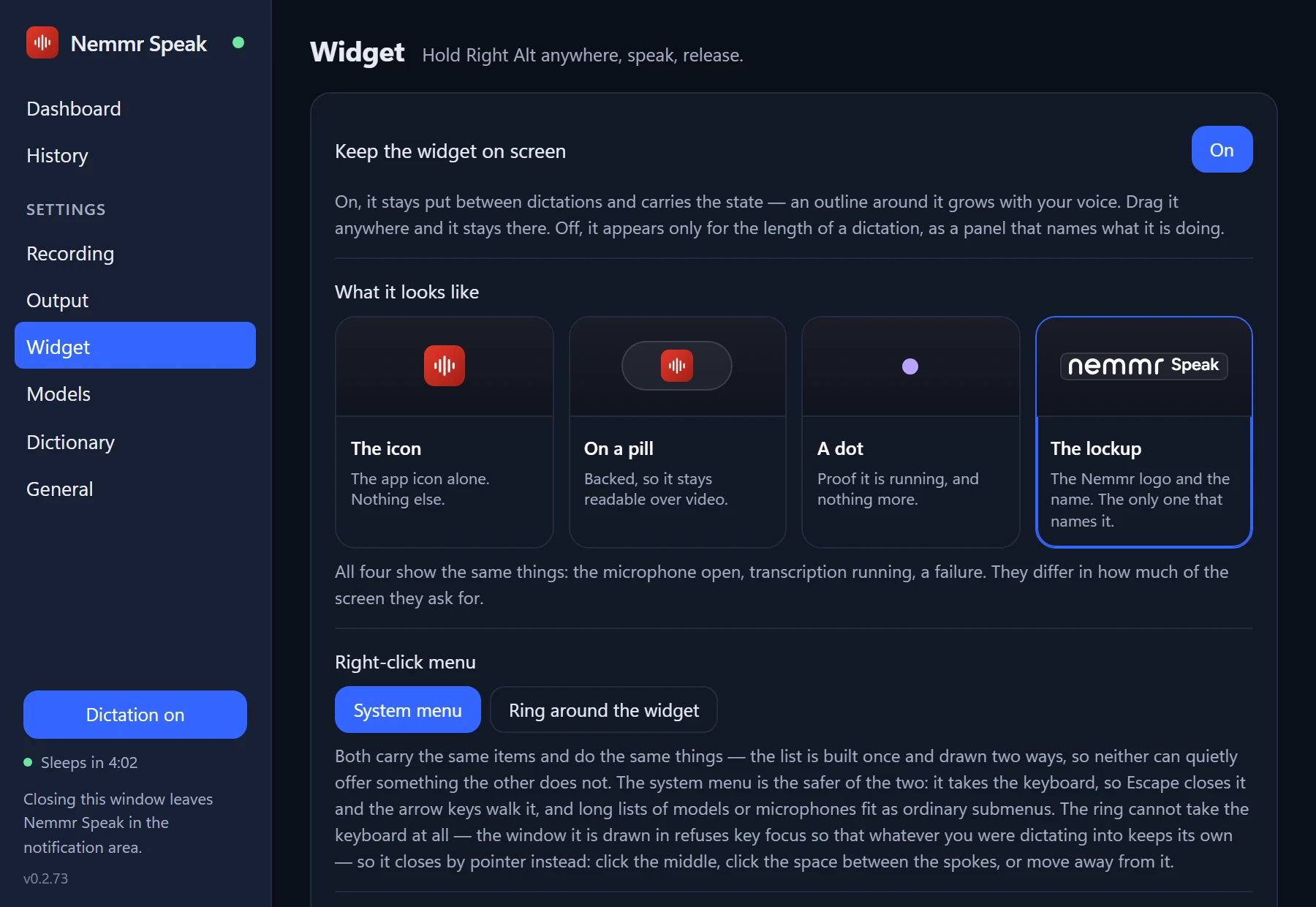
While you speak, a small widget shows that the microphone is live and turns into a waveform of your voice. It never takes the focus, so your text still lands in the app you were in. Keep it on screen or let it appear only while you dictate.
- Four looks: the icon, a pill, a dot, or the Nemmr lockup
- Drag it anywhere. Double-click to open the settings
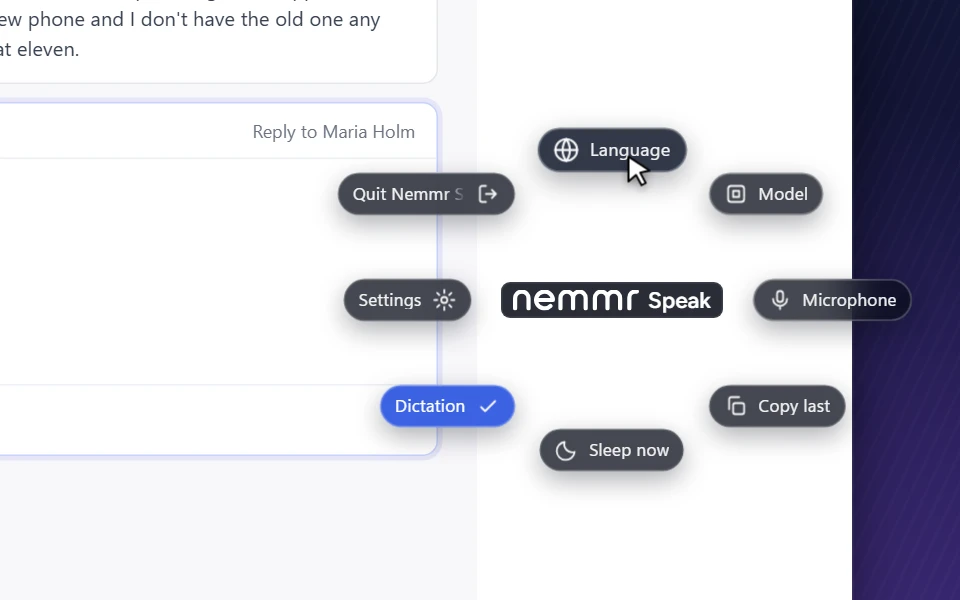
- Right-click for a menu, or a ring around the widget — language, model, microphone, copy the last text
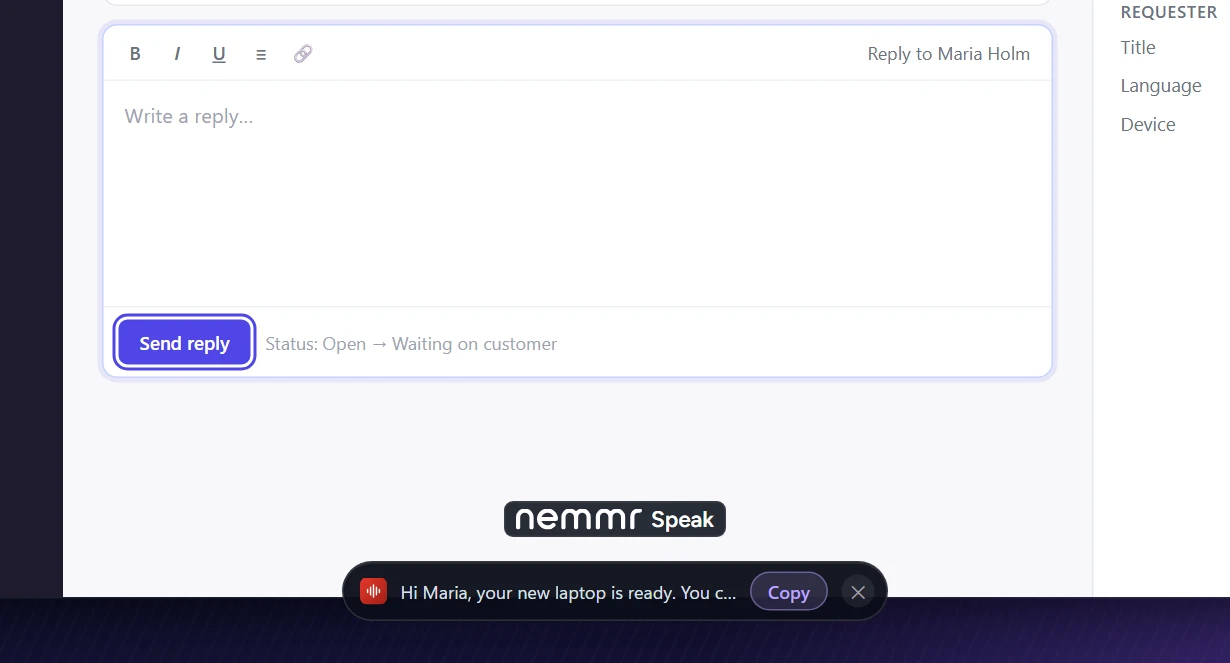
Nowhere to type? It's kept for you.
Dictate while a button or a list has the focus and the text has nowhere to land. Nemmr Speak shows it in a strip under the widget instead, with a button to copy it. Your clipboard is only touched if you press it.
- Goes away by itself after twelve seconds
- Every dictation is in the history anyway
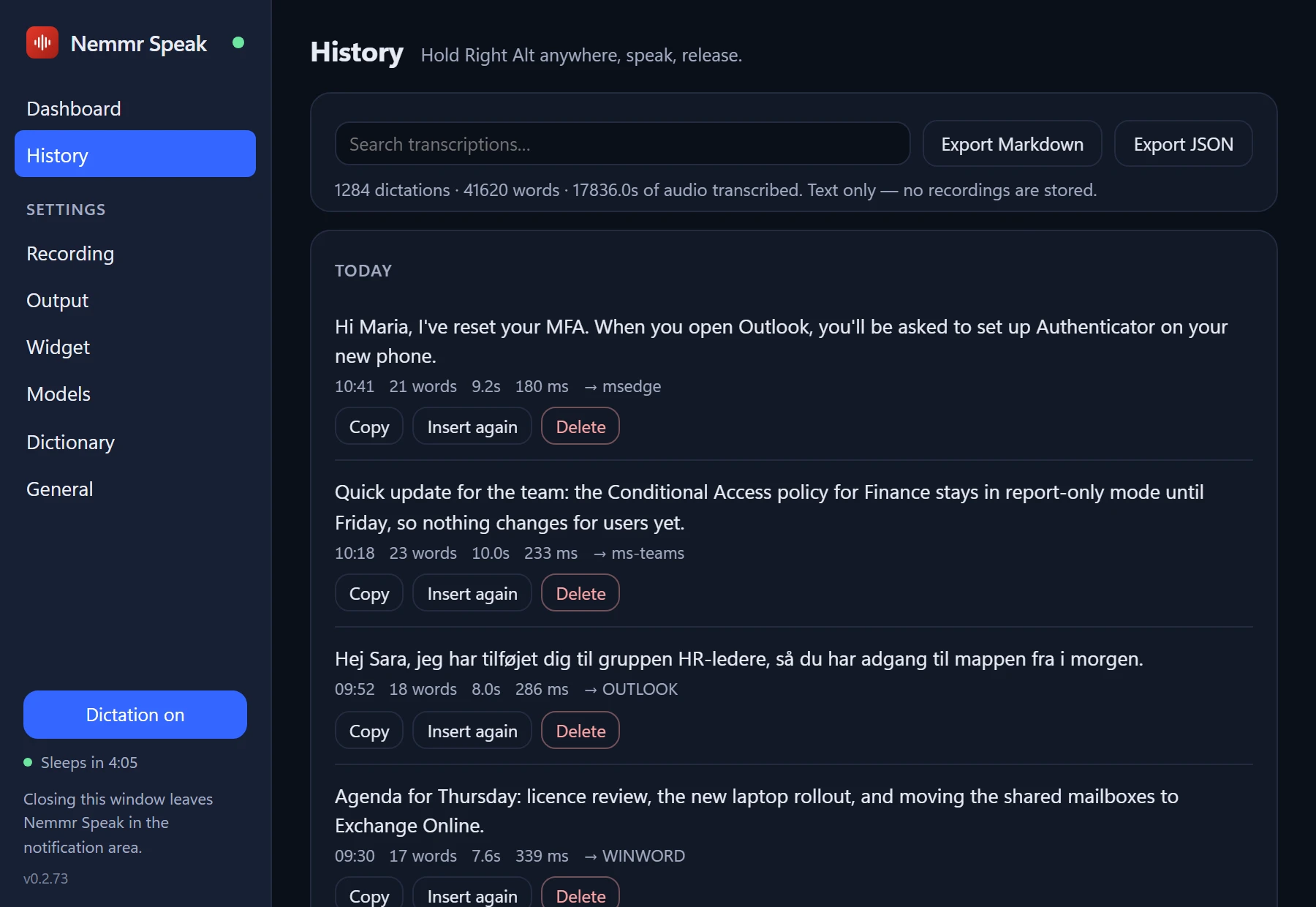
Everything you said, as text.
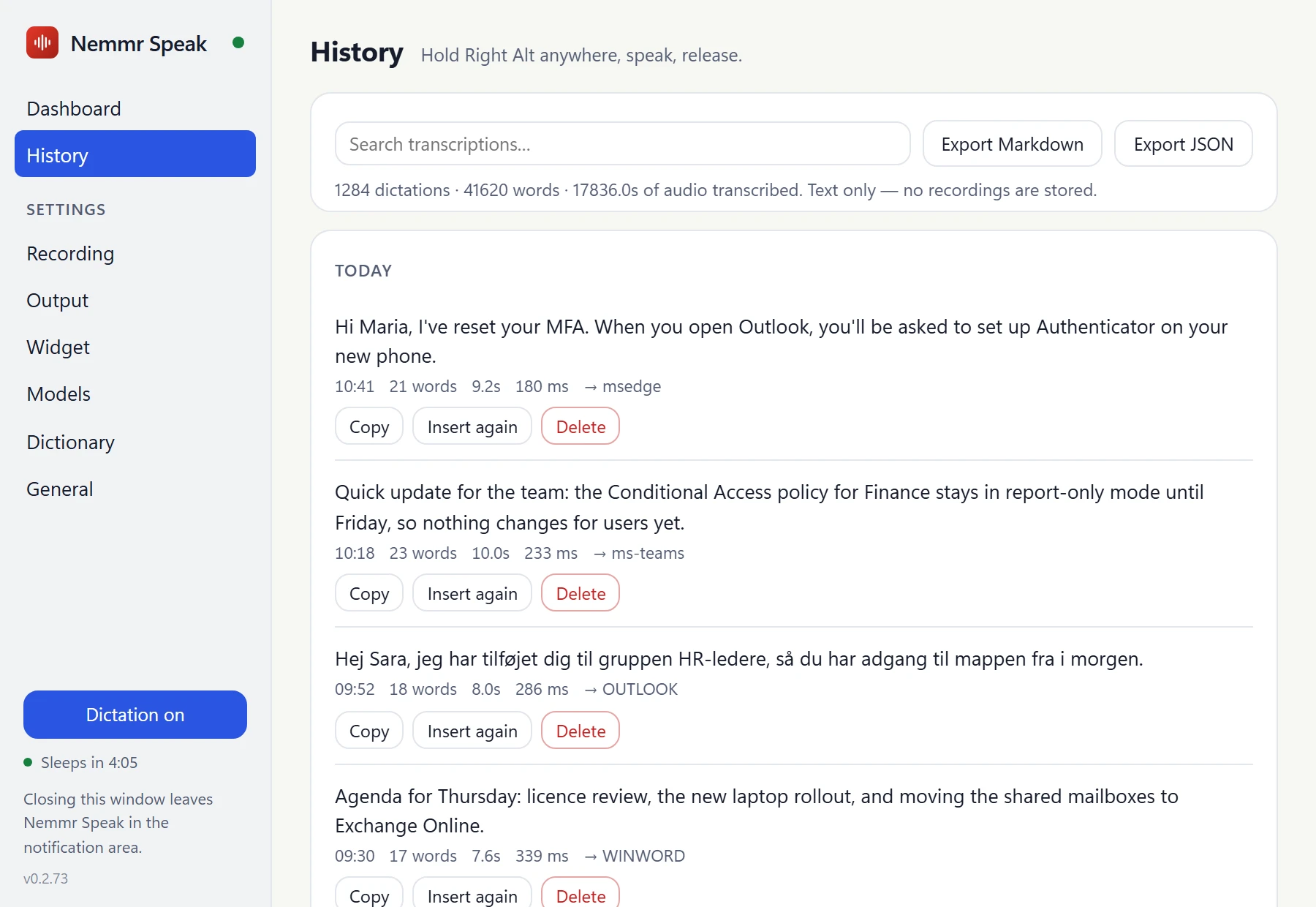
Every dictation is kept as text, newest first, with the app it went to. Search it, copy one again, or type it into another window.
- Search as you type
- Copy, insert again, or delete one
- Export everything as Markdown or JSON
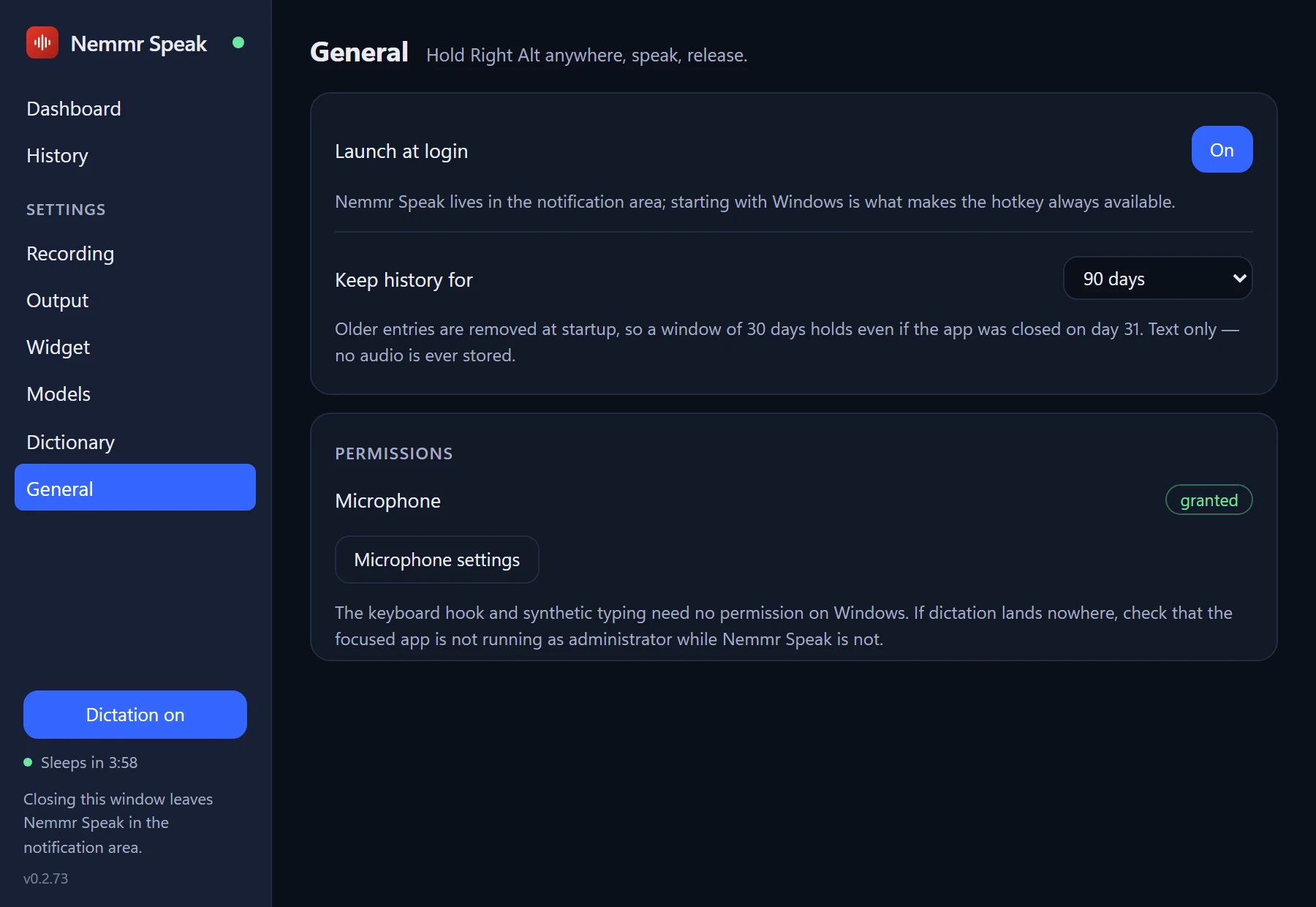
- Keep it for 7, 30 or 90 days, a year, or for good — no audio is ever stored
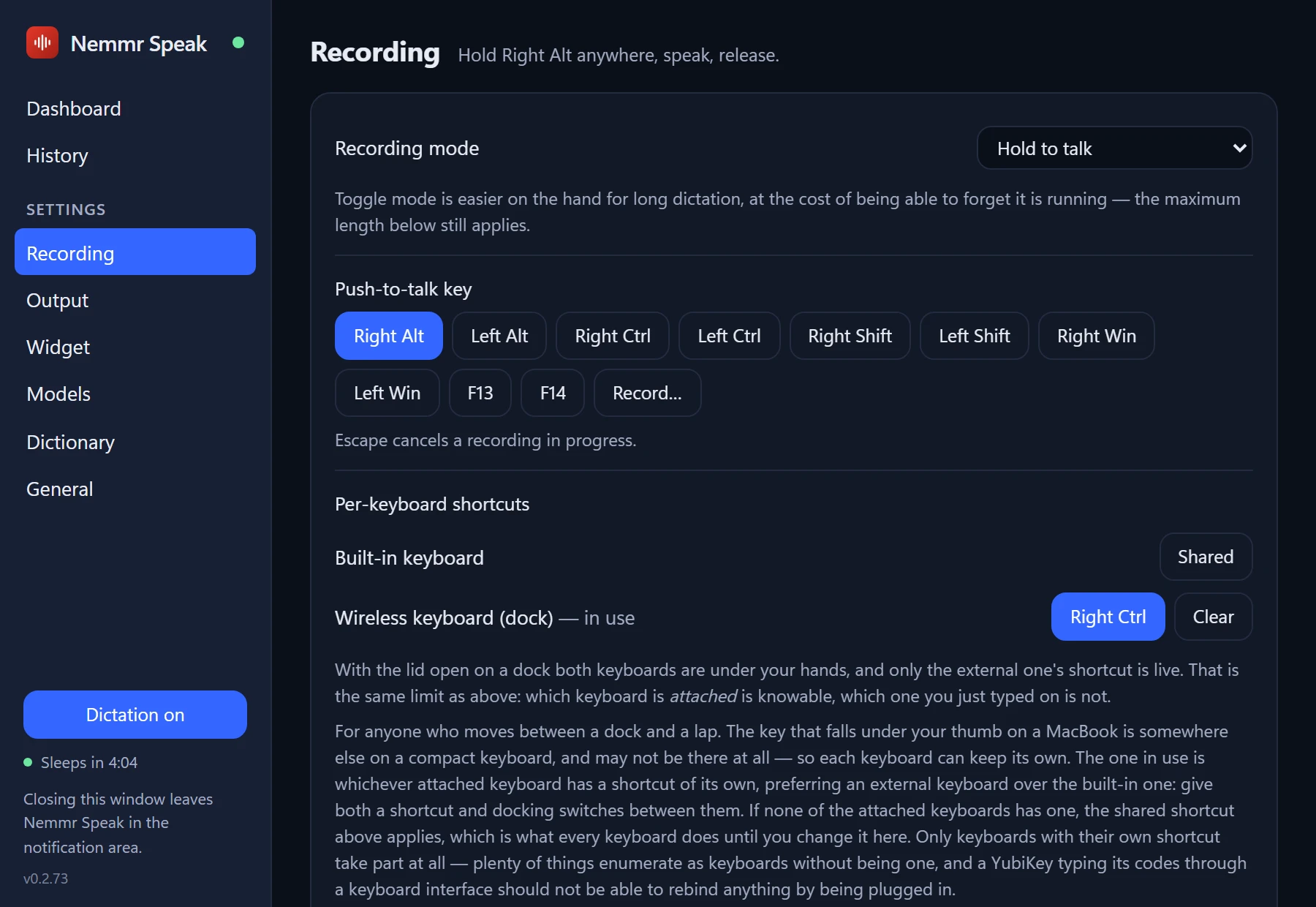
Hold to talk, or press to start.
Hold the key while you speak, or switch to press-to-start, press-to-stop for long dictation. Use Right Alt, any other modifier, or record a key of your own.
- A different key per keyboard — one on the laptop, another on the docked keyboard
- Esc cancels a recording
- Choose the microphone — pin the built-in one, so Bluetooth headphones don't drop into call quality
- A maximum length, with a warning in the widget five seconds before
Fast on your own hardware.
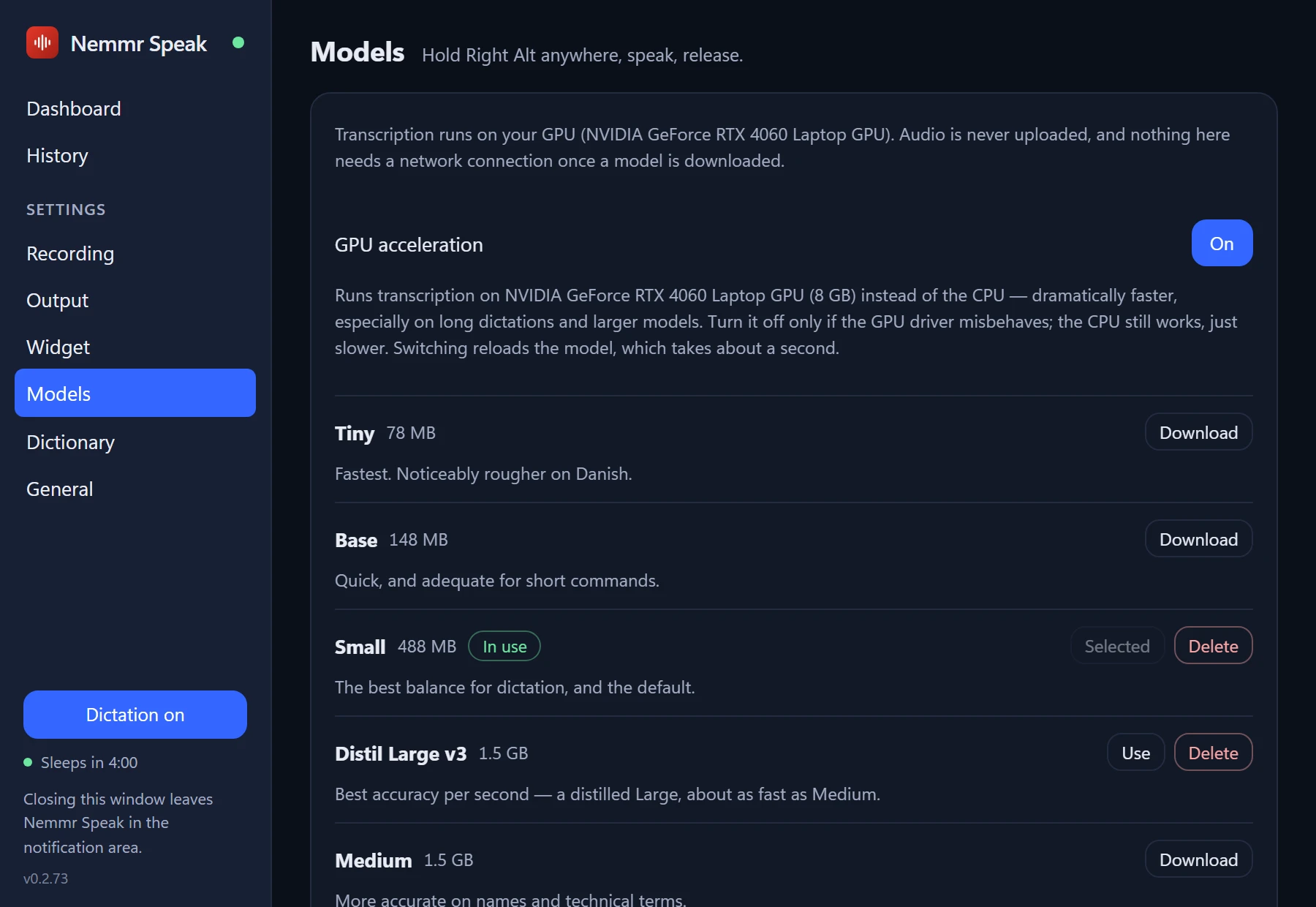
Nemmr Speak uses Whisper, the open speech recognition model, through whisper.cpp. It runs on your graphics card if you have one, and on the CPU if you don't.
- GPU acceleration — Vulkan on Windows (NVIDIA, AMD and Intel), Metal on a Mac
- Six models, from Tiny (78 MB) to Large v3 (3 GB) — Small is the default
- Lets the model sleep when you haven't dictated for a while, to give the memory back
Quiet tones
A short tone when the microphone opens and another when the text lands. Each with its own volume, or off.
Your numbers
Words dictated, time spent speaking and your words per minute, on the dashboard.
Always there
Launches at login and lives in the notification area (the menu bar on a Mac), so the key always works.
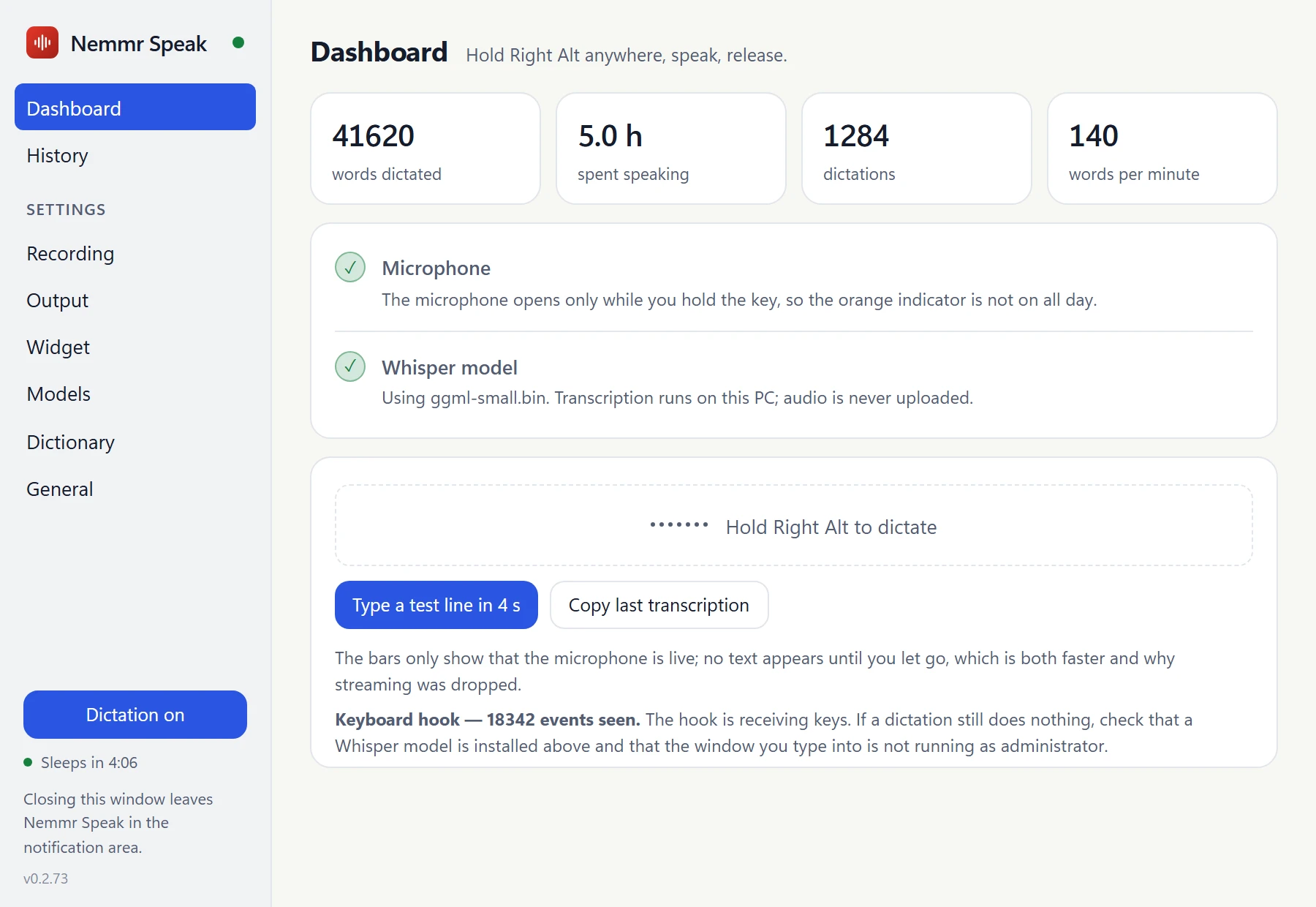
Light or dark
The settings window follows your system theme.
Your voice stays
on your computer.
Dictation hears everything you say, including names, passwords read aloud and the things you say to the screen. So Nemmr Speak is built to keep all of it on your machine.
Transcribed on your computer
Whisper runs locally. There is no network code in the transcription at all, so it works on a plane and nothing you say is uploaded.
The microphone opens only while you hold the key
Not all day in the background, waiting for a wake word. Let go and it's closed.
Text only, and only on your PC
The history keeps the text of each dictation, never the audio, and there is no setting to change that. You decide how long the text is kept.
No account
Nothing to sign up for. The internet is only used to download a Whisper model, once.
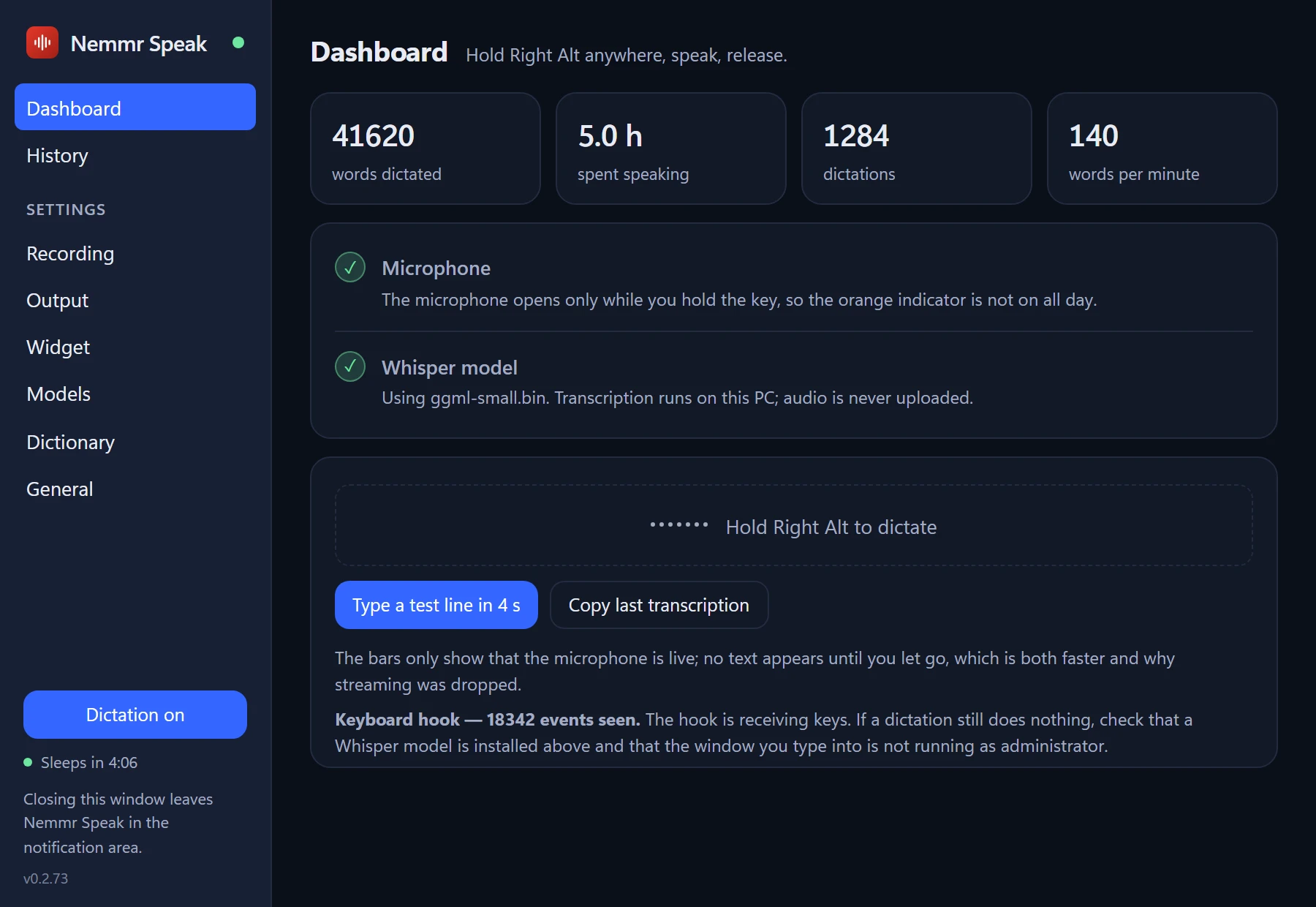
The real thing, up close.
Click any screenshot to see it full size.
 Nemmr Speak
Stop typing what you could just say.
Nemmr Speak for Windows and macOS is coming soon. Public downloads aren't open yet - get in touch if you'd like early access.
Want early access? Contact us and we'll get you set up.
Questions, answered.
Is my voice sent anywhere?
No. The recording is transcribed by Whisper on your own computer and then thrown away. Only the text is kept, in the history on your PC, for as long as you choose. There is no account and no cloud service involved.
Does it need an internet connection?
Only once, to download a Whisper model (Small is 488 MB). After that, dictation works offline.
Which apps does it work in?
Any app you can type in: Outlook, Teams, a browser, Word, a terminal, a ticket system. Nemmr Speak types the text where your cursor is. If an app doesn't take typed input well, switch the output to the clipboard. On Windows, an app running as administrator only accepts the text if Nemmr Speak runs as administrator too.
Which languages does it understand?
English, Danish, Swedish, Norwegian, German, Dutch, French and Spanish, or auto-detect between Danish and English. Pick your usual language, and hold Shift with the key to use another one for the next dictation.
Do I need a fast computer?
No, but it helps. With a graphics card, transcription runs on the GPU, which is much faster, especially on long dictations and the larger models. Without one it runs on the CPU, and a smaller model keeps it quick.
Does it run on a Mac?
Yes, on macOS 13 or later, where it lives in the menu bar and uses Metal for transcription. macOS asks you to allow Accessibility once, so Nemmr Speak can notice the key and type into other apps.
Are the videos and screenshots on this page real?
They are Nemmr Speak's own interface, built from its source and run with made-up data, as a consultant answering a made-up company's ticket. A film can't show a voice, so the microphone level is simulated and a caption shows the key held and the words spoken. The desktop behind the widget is made up too.
What will it cost?
Pricing hasn't been set yet.