
 Nemmr Docs
Every customer, documented.
Nemmr Docs keeps what your team knows about each customer in one place: their network, their Microsoft 365 setup, the runbooks, the open tasks. Press Ctrl+K, type a few letters, and the page is open. It runs on your own server.
[email protected] try-nemmr-docs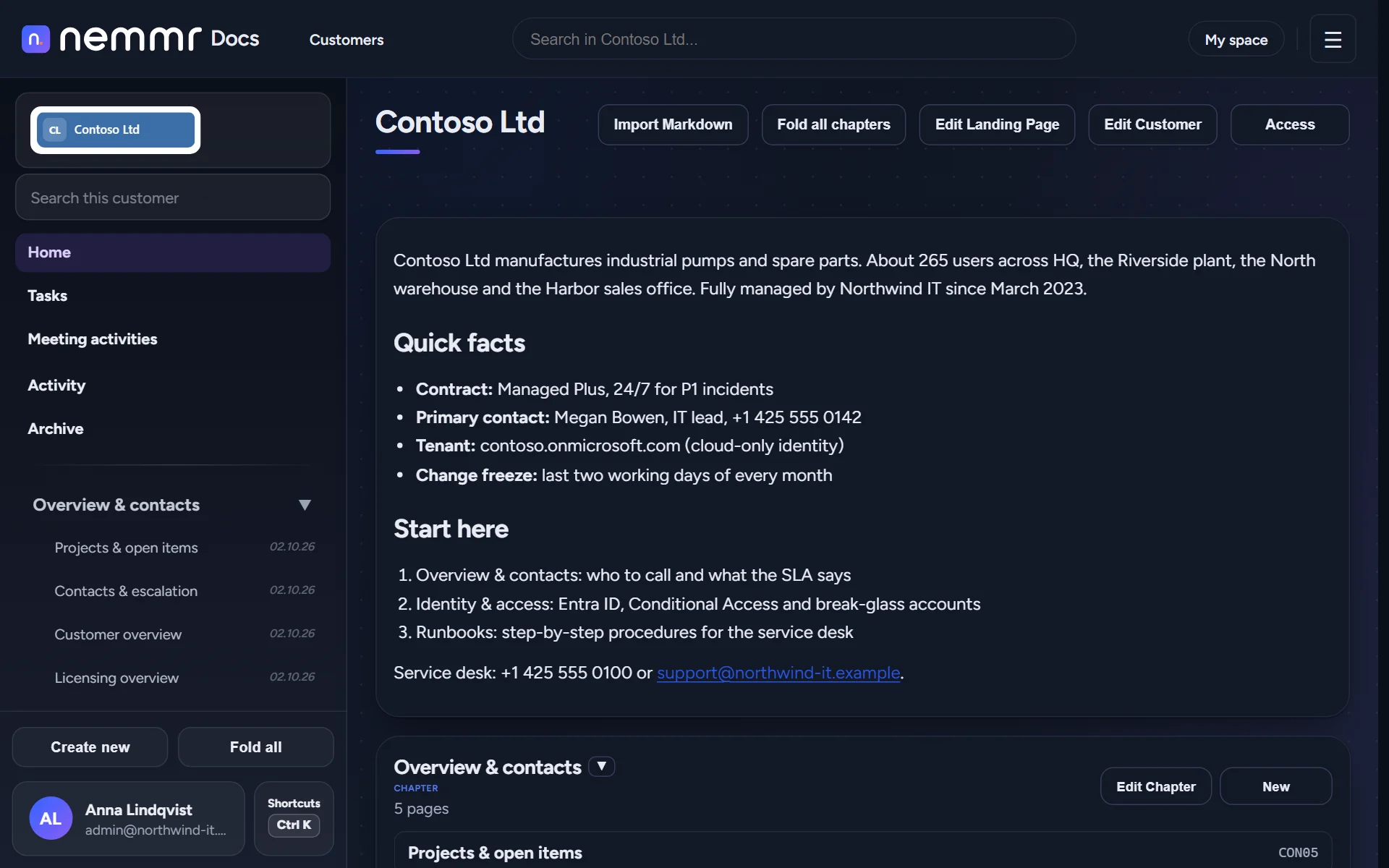
"Where did we write that down?"
Asked every day, by every technician.
The answer is usually in someone's head, in a ticket from last year, or in a wiki where every customer shares one long page tree.
Knowledge in people's heads
The one person who set up the customer's VPN is on holiday. The firewall rule nobody remembers is the one that breaks on Friday.
"Ask Mikkel, he did that install."
Search that doesn't find
A general wiki mixes every customer together. You know the page exists, you just can't find the version for this customer.
"There are four pages called Conditional Access."
Docs that quietly go stale
Nobody owns the page, nobody checks it, and the runbook still points at a server that was retired in spring.
"Is this still how we do it?"
Nemmr Docs is built around the customer. Each customer gets its own book, search knows which book a page belongs to, and every page can carry a review date so someone looks at it again.
Find it, write it,
get it done.
Three short recordings of the real product, from the same demo you can open yourself. Nothing is sped up.
Ctrl+K, a few letters, the page.
The command palette searches every customer's pages as you type, and shows which customer and chapter each result belongs to. Enter or a click opens it.
- Full-text search with Elasticsearch — typo-tolerant, ranked, with the match highlighted
- Search by page ID, like
CON07, and old IDs still resolve - The same palette creates pages, switches theme and copies links
An editor built for runbooks.
Hover a line, press +, pick a block. Callouts for the warnings people skip, code blocks for the commands they copy, and checklists for the steps they tick off.
- Headings, lists, checklists and images
- Code blocks with syntax highlighting and a copy button — PowerShell, Bash, JSON and more
- Four callout types, and a slash menu for keyboard people
- Page and customer templates, and Markdown import
The work next to the docs it touches.
Each customer has a task board. Drag a card when the status changes, mention a colleague in a comment, and embed a task in the page it belongs to.
- Board and table views, with your own columns
- Due dates, priorities, subtasks and comments
- Your own list across customers in My space
Made for people who look after
other people's IT.
Every screen below is the demo you can open yourself: a fictional MSP, Northwind IT, and five of its customers.
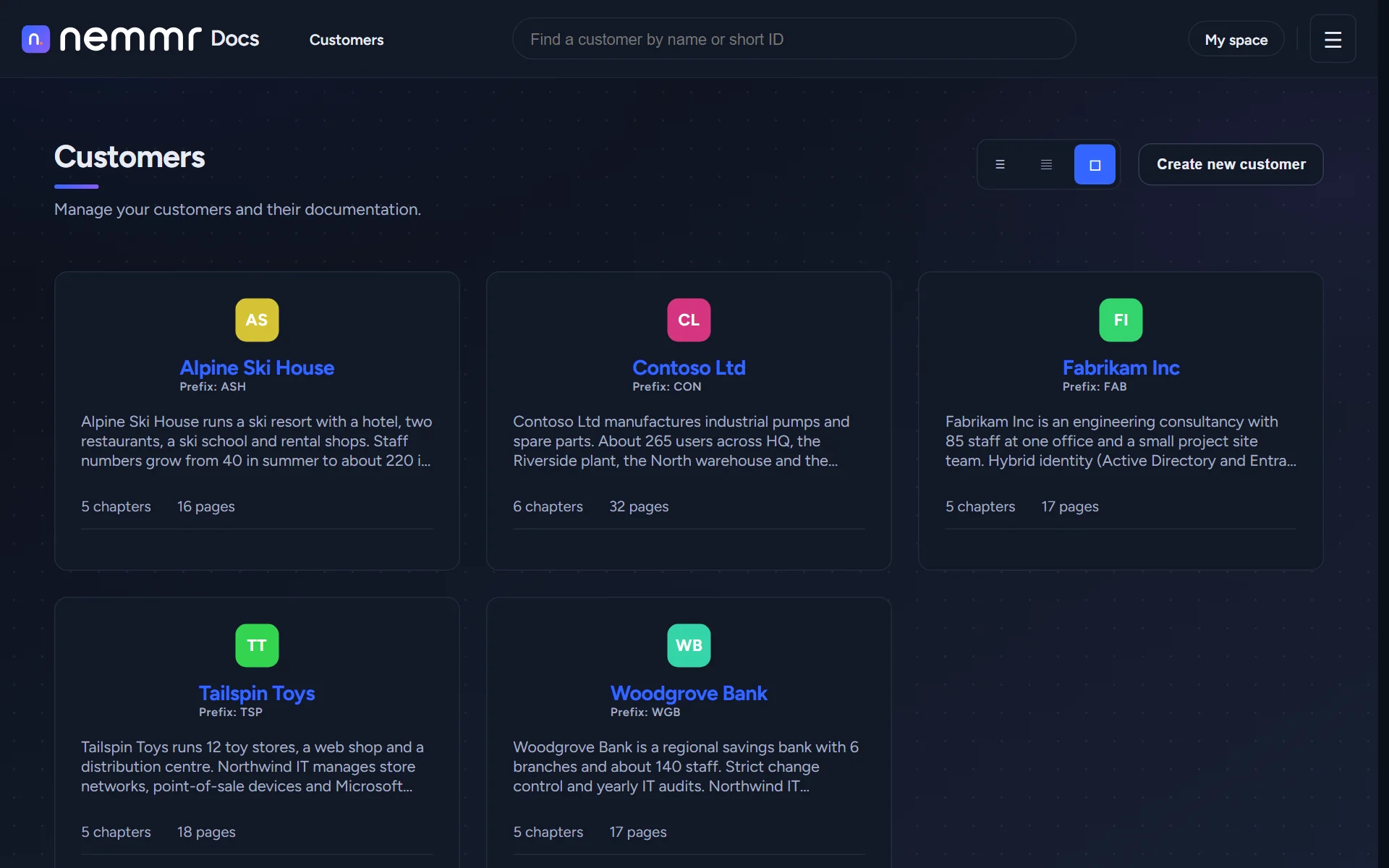
One book per customer, with their own logo.
Every customer gets a book with chapters, a landing page with the facts you need on the phone, and a short prefix for its page IDs.
- The customer's logo at the top of their book
- Landing pages for contacts, contract and escalation
- Page IDs that survive a rename, so links in tickets keep working
- Export any page to PDF, Word or Markdown
Pages people can read at 2 a.m.
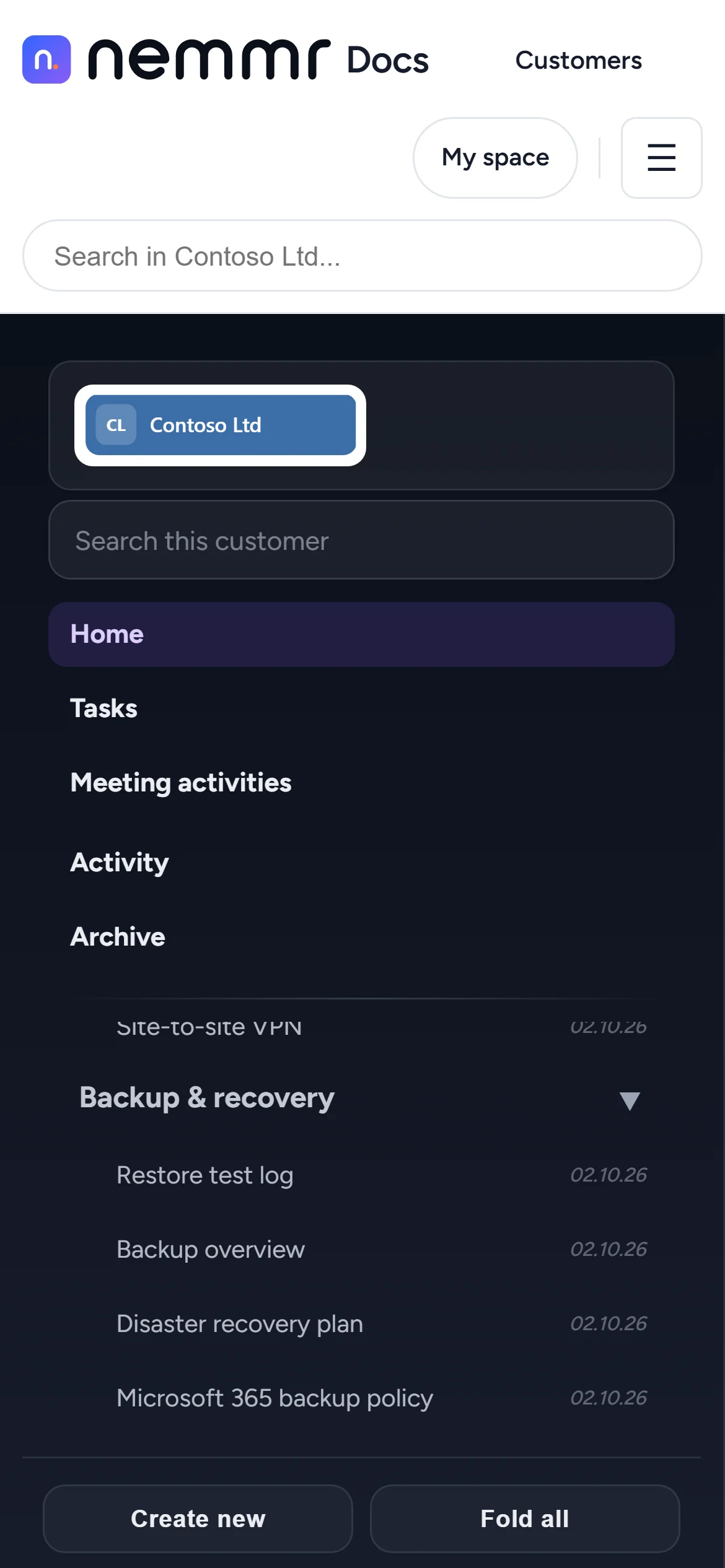
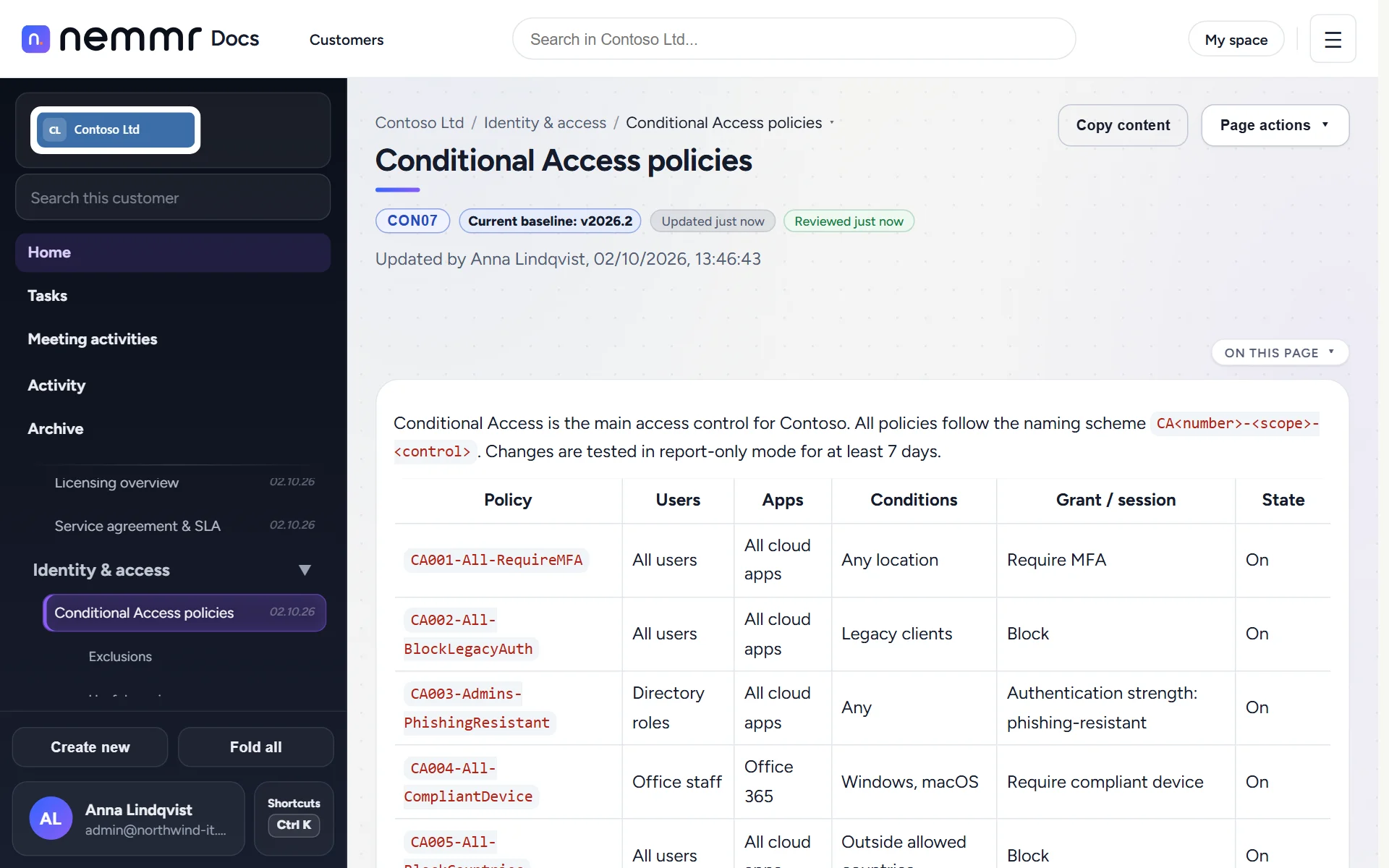
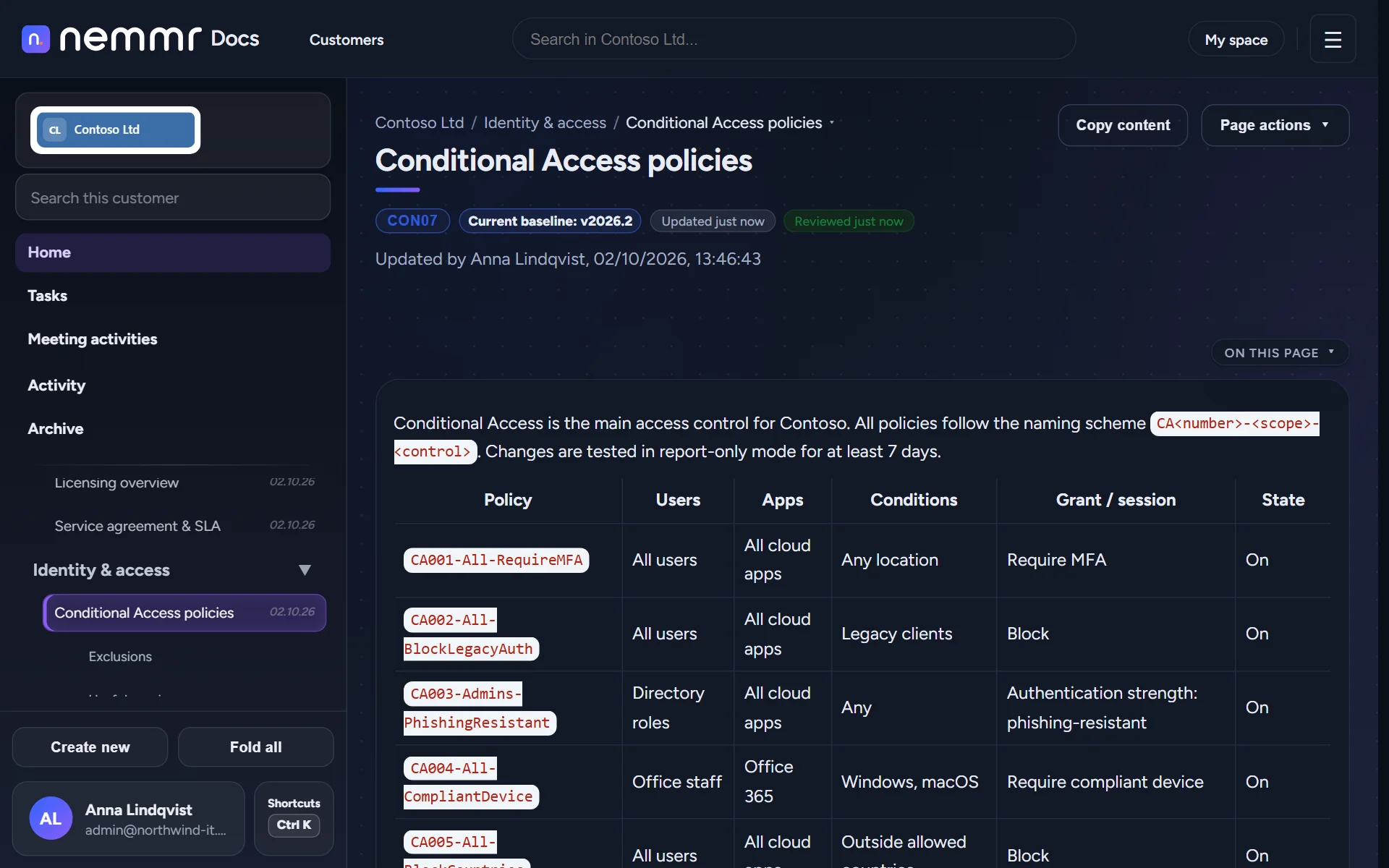
Clear type, an outline of the page, and the next page one click away. Light or dark, chosen by each person.
- "On this page" contents for long runbooks
- Breadcrumbs that jump to a sibling page
- Reusable tags like
{{support_phone}}, filled in everywhere - Works on a phone, for the call from the server room
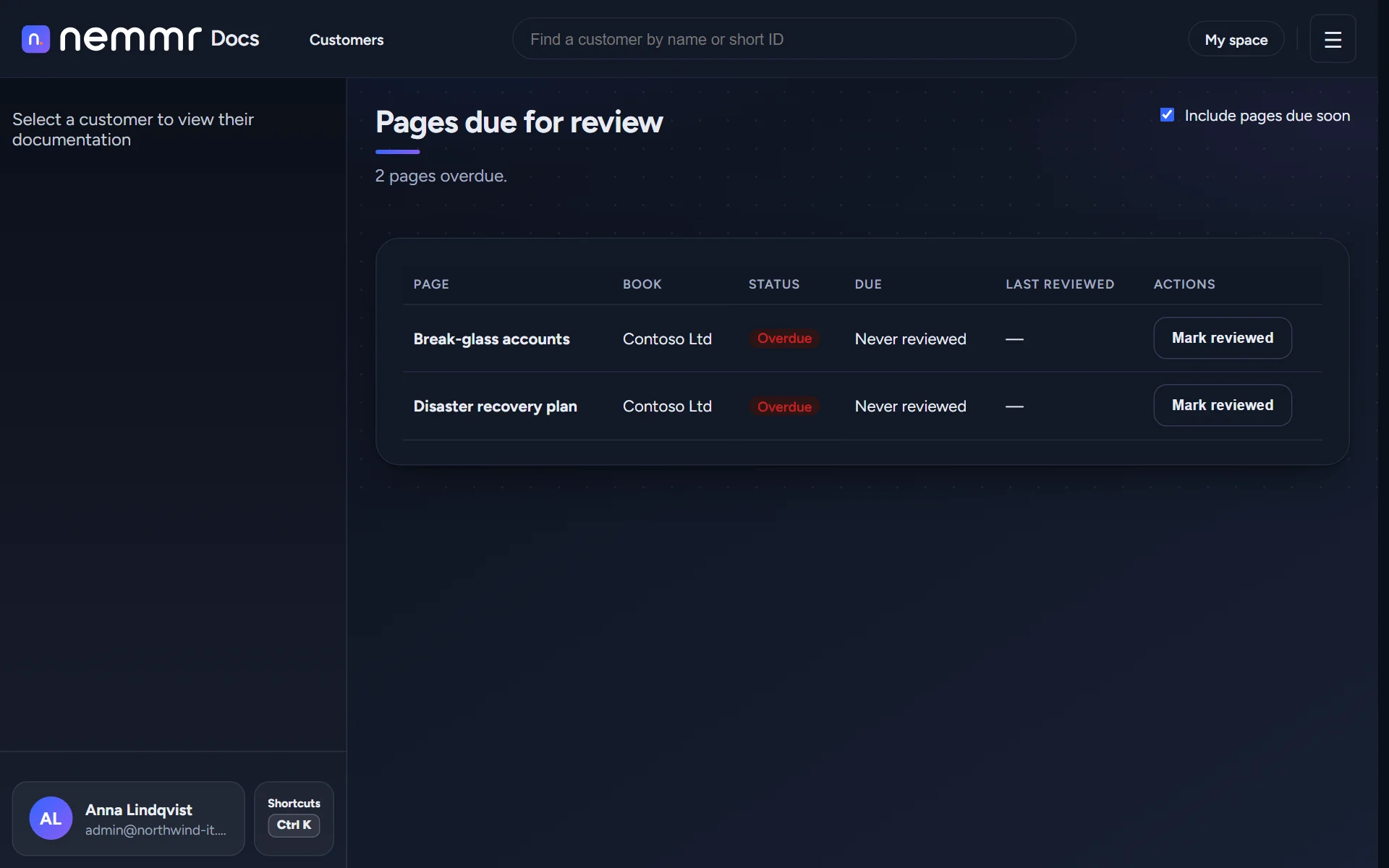
Old pages get noticed, not trusted.
Give a page a review cycle and it shows up on the review list when it's due. Retire a page into the archive and point readers at the one that replaced it.
- Review dates per page, and one list of everything overdue
- Archive with a reason and a successor page
- Remarks on a page, resolved when the fix is in
- Baseline versions: mark which standard a page and a remark belong to
- An activity log per customer, and one for the whole install, with download
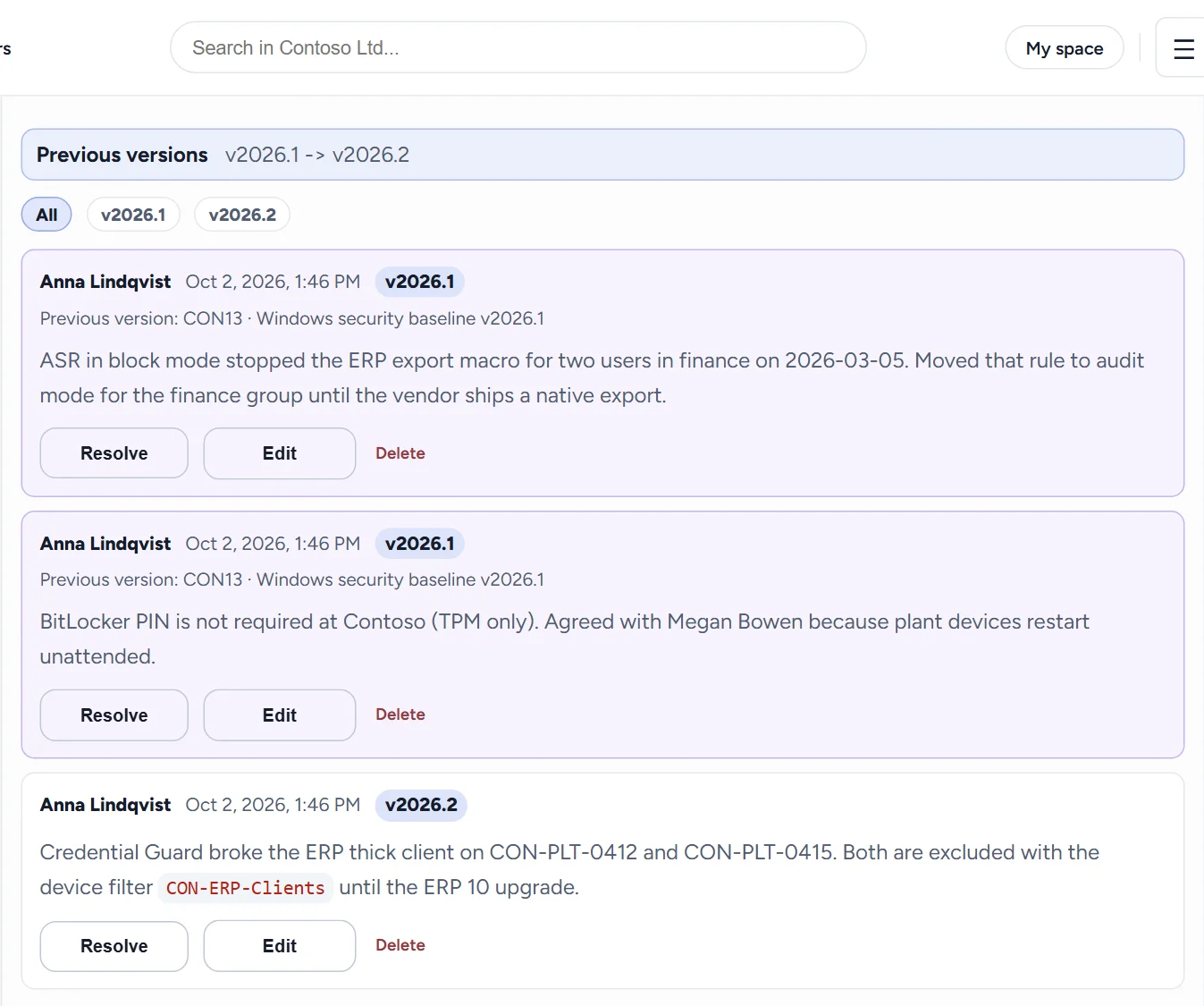
Notes that stay with the page.
A remark is a short note on a page, like "this profile breaks the ERP client". It carries the baseline version it was written against, and follows the page when a successor replaces it.
- Open and resolved remarks, with images
- Baseline version badges on pages and remarks
- The archived page and its successor, linked both ways
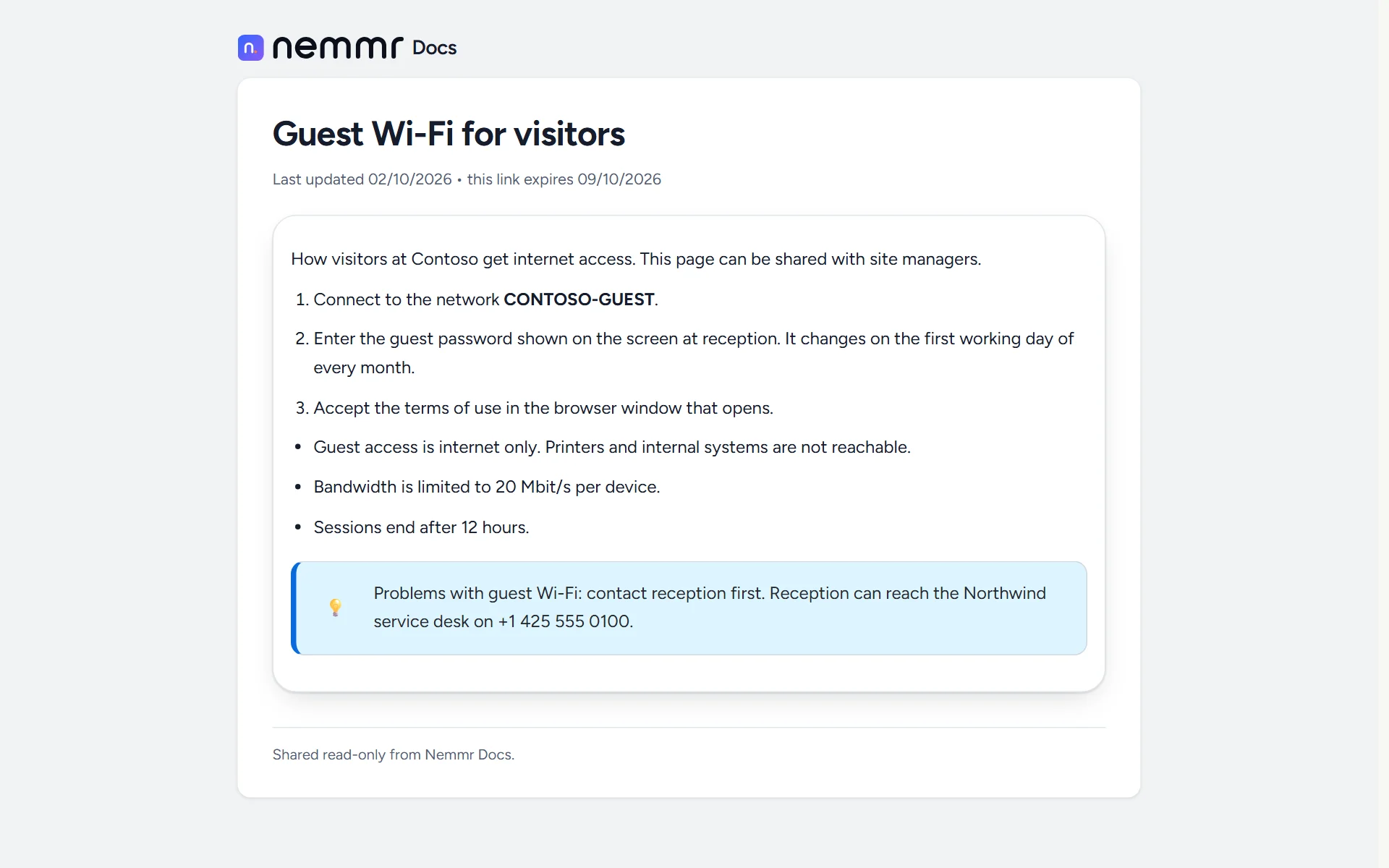
Send one page, not a login.
Share a page with someone outside your team, such as a customer's site manager, through a link that expires. They see that page and nothing else.
- Links that expire, and can be revoked at any time
- Only a hash of the link is stored
- One admin list of every link that's still open
A private desk next to the shared docs.
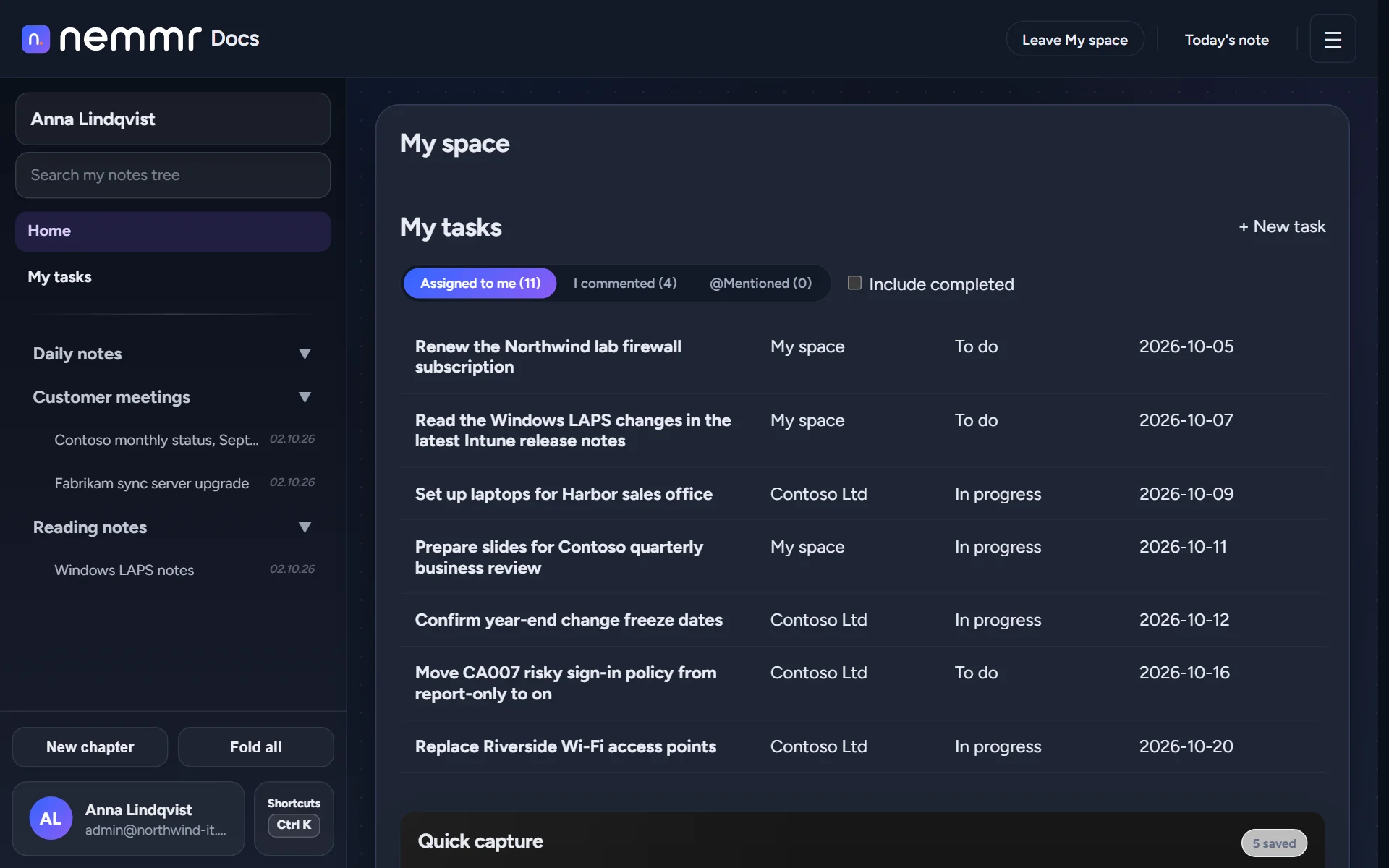
Personal notes, meeting notes and a quick-capture inbox for the IP address you need in ten minutes. Nobody else can read them, not even an admin.
- Daily notes and your own chapters
- Quick capture for text, links and screenshots, encrypted at rest
- Link meeting notes to a customer when the team should see them
Templates
Page templates for runbooks and change records, and a customer template that creates a new customer's chapters in one go.
English or Danish
The interface comes in both languages. The admin chooses which one the installation uses.
An API, and AI assistants
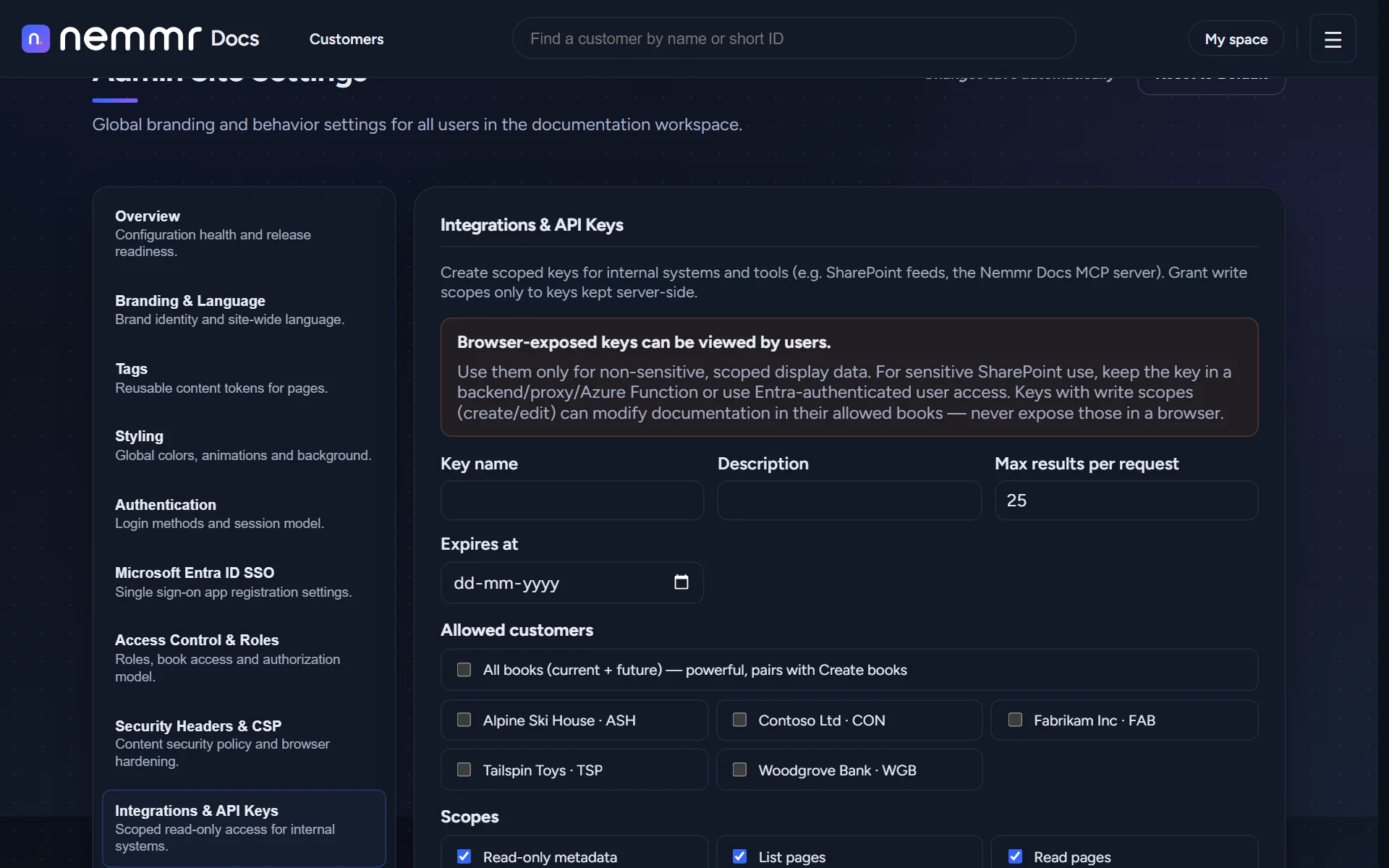
Scoped, hashed API keys per integration, and an MCP server so assistants like Claude Code can search and write pages within those scopes.
Styled your way
Your colours and logo in Site settings, and theme presets for those who like their tools to look like their desktop.
Your customers' details
stay on your server.
IT documentation holds network diagrams, admin procedures and contact lists. Nemmr Docs is not a shared cloud service: every installation is its own, on infrastructure you control.
Self-hosted, as one stack
The web app, the API, PostgreSQL and Elasticsearch run together with Docker Compose on your own Linux server. Your data never passes through us.
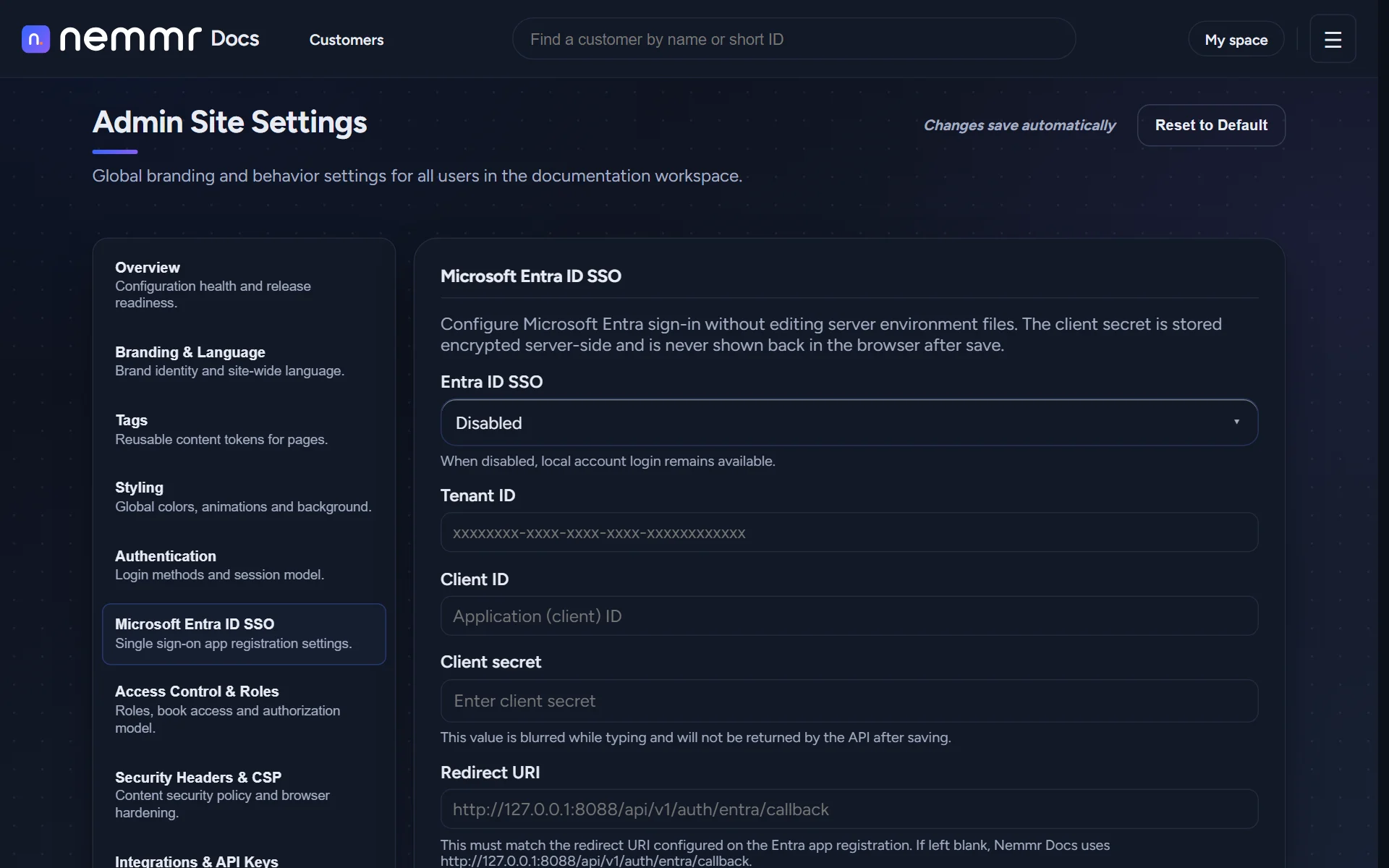
Sign in with Entra, access by group
Single sign-on with Microsoft Entra ID. Map Entra security groups to a role and to the customers that group may read, and access follows group membership at the next sign-in.
Access per customer
Admins and readers, with read access granted per customer book. A technician who should only see three customers sees three customers.
A log of every change
Pages, chapters, customers and settings changes are recorded with who and when, per customer and for the whole installation, and can be downloaded.
Content that can't run code
Page content is sanitised when it is saved and again when it is shown, and the web server sends a strict Content Security Policy.
For teams who document more than one environment.
Managed service providers
Many customers, many technicians, and the same questions every week. One book per customer keeps them apart.
- Customer templates for onboarding
- Share a page with a customer
In-house IT teams
Several sites, subsidiaries or departments. Give each its own book, and keep runbooks where the helpdesk will find them.
- Review dates on what matters
- Tasks next to the docs
Consultants & architects
Baselines, security standards and the exceptions each customer has. Remarks record why a setting is different here.
- Baseline versions
- Remarks with history
One price per installation.
No limits.
No per-user fees, no per-customer fees, no feature tiers. Add every technician and every customer you have.
Nemmr Docs
One self-hosted installation, on your server.
Per installation, excl. VAT.
- Unlimited users
- Unlimited customers & pages
- Search across every customer
- Editor, templates & Markdown import
- Tasks, remarks & review dates
- Entra ID single sign-on
- Share links & activity log
- API keys & MCP server
Questions, answered.
What does it cost?
€300 a month per installation, excluding VAT. That covers every user, customer and page in that installation. There are no per-seat fees and no feature tiers.
Where does Nemmr Docs run?
On a Linux server or VM in your environment, with Docker. The web app, the API, PostgreSQL and Elasticsearch run together as one Docker Compose stack. It's self-hosted only: there is no shared cloud version.
How do people sign in?
With Microsoft Entra ID single sign-on. You can map Entra security groups to a role and to the customers that group may read. A local admin account is there for setup and recovery.
Can a customer see their own documentation?
Yes, in two ways: share a single page through a link that expires, or give the customer's own people a read-only account that can only open their book.
Can we bring our existing documentation?
Pages can be imported from Markdown, which most wikis and documentation tools can export. Pages can also be created through the API.
Does it work with AI assistants?
Through scoped API keys. Nemmr Docs includes an MCP server, so an assistant such as Claude Code can search, read and, if the key allows it, write pages in the customers that key is limited to.
Is the interface in Danish?
Yes. English and Danish are both built in, and the admin chooses which one the installation uses.
What's in the live demo?
A made-up IT company, Northwind IT, with five fictional customers and about a hundred pages. You sign in as a reader: browse and search every customer, write notes and tasks in My space, and link a meeting note to a customer. Editing customer pages is for admins, which the videos above show. Every visitor shares the account, and everything resets every four hours.
Nemmr DocsStop asking where it's written down.
Open the demo and try Ctrl+K on Northwind IT's customers. Then picture your own.
[email protected] and try-nemmr-docsThe demo is fictional, shared by every visitor, and reset every four hours. Contact details for a walkthrough on your own server are coming soon.